
A residential punch list works best when you walk it room by room, in the same order every time,...
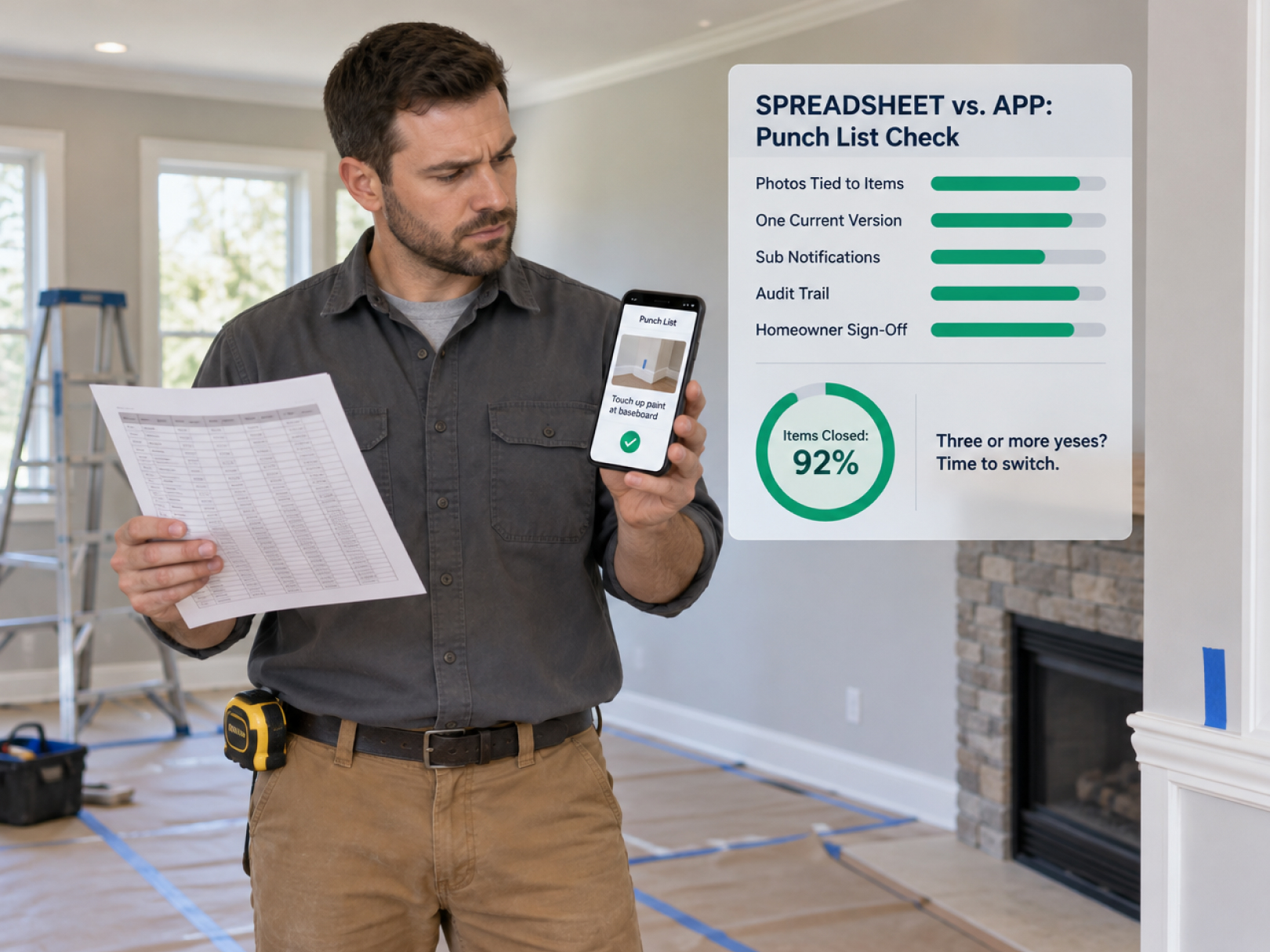 A spreadsheet is a fine punch list for a small job with one person tracking it. It stops working the moment photos, multiple trades, due dates, and sign-offs have to stay in sync. Most contractors do not switch on principle. They switch after a punch list goes wrong: a version gets overwritten, a sub says they never saw the list, or the homeowner disputes whether an item was ever fixed.
This guide helps you decide whether your punch list has outgrown a spreadsheet. It covers what spreadsheets do well, the specific points where they break, what dedicated punch list software adds, and a simple scorecard for choosing. If you are starting with a template, the construction punch list template and closeout checklist gives you a copy-ready structure that works in either format.
What a Spreadsheet Does Well
For simple jobs, a spreadsheet is fast, free, and familiar. Do not replace it without a reason.
Strengths:
- Everyone already knows how to use it
- No new subscription or training
- Easy to customize columns
- Works for quick lists on small residential jobs
- Simple to print and hand to a homeowner
- Easy to filter and sort when one person owns it
A one-person remodeling company finishing a bathroom with 15 punch items can run it from a sheet and never need more. The problems start as complexity grows.
Where Spreadsheets Break Down
These are the failure points contractors report most. Count how many apply to you.
Photos do not belong in cells. Attaching a photo to each item means pasting images that bloat the file, or linking to a folder that nobody keeps organized. The evidence ends up separate from the item.
Version control collapses. The list gets emailed, edited, and re-saved. Soon there are three versions, and nobody knows which is current. A sub works from an old copy.
Multiple people cannot update at once. The superintendent marks items complete while the project manager adds new ones. Someone overwrites someone else.No notifications. A sub is assigned an item but never told. Due dates pass silently.
No audit trail. Who marked an item complete and when? A spreadsheet cannot tell you reliably, which matters in a dispute.
Subs see too much or nothing. Sending the full list exposes every trade's items. Sending separate lists multiplies the versions.
Field entry is painful. Typing into a spreadsheet on a phone at the job site is slow, and people skip it and plan to enter it later.
No sign-off flow. The homeowner's acceptance lives on a separate piece of paper, if it exists.
Reporting takes manual work. Summaries by trade, status, or age need pivot tables or hand counting.
10. History disappears. Closed jobs sit in old files, and patterns across jobs are hard to see.
For why this documentation matters after closeout, see construction defect claims.
What Punch List Software Adds
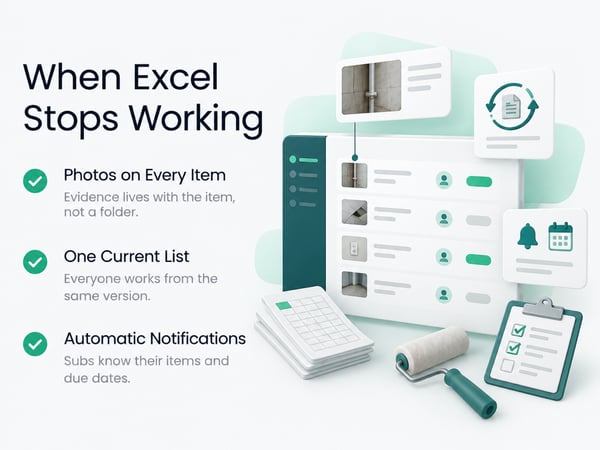
Dedicated punch list software replaces the spreadsheet's weak points with structure.
Typical capabilities (confirm each in a demo):
- Photo attached to each item, with timestamp and location
- Assignments with notifications so each person sees only their items
- Due dates and reminders
- Status workflow: open, in progress, ready for review, verified, closed
- Mobile entry while walking the site, including offline capture
- Real-time sync so everyone sees the current list
- Audit trail showing who changed what and when
- Before and after photos for each item
- Homeowner or owner review and sign-off
- Reports by trade, location, status, and age
- Templates so every job starts with a consistent structure
TaskTag offers a Punch List Tracker built around these ideas. Whichever tool you consider, test it against the failure points above.
Side-by-Side Comparison
|
Need |
Spreadsheet |
Punch list software |
|---|---|---|
|
Cost |
Free or already owned |
Subscription |
|
Learning curve |
None |
Short, but real |
|
Photos tied to items |
Awkward |
Built in |
|
Mobile entry on site |
Clumsy |
Designed for it |
|
Version control |
Manual and fragile |
Automatic |
|
Several users at once |
Risky |
Normal |
|
Assignment notifications |
Manual |
Automatic |
|
Sub sees only own items |
Manual copies |
Role-based access |
|
Audit trail |
Weak |
Built in |
|
Sign-off |
Separate paper |
In the workflow |
|
Reports |
Manual |
One click |
|
Cross-job history |
Hard |
Searchable |
A spreadsheet wins on cost and simplicity. Software wins when coordination, evidence, and accountability matter.
The Scorecard: Has Your Punch List Outgrown Excel?
Answer yes or no. Three or more yeses means software is probably worth it.
- [ ] We routinely run jobs with more than 40 punch items
- [ ] Three or more trades have items on the same list
- [ ] More than one person updates the list
- [ ] We have lost, duplicated, or overwritten a version before
- [ ] Subs have said they never received their items
- [ ] We take photos of every item but cannot find them later
- [ ] Final payment has been delayed by disputes over what was done
- [ ] We run more than three jobs at the same time
- [ ] The homeowner or owner wants updates during the process
- [ ] We spend more than an hour per job assembling reports or status updates
Scoring
- 0 to 2: A good spreadsheet is probably fine. Improve your template and discipline.
- 3 to 5: Software will likely pay for itself in saved time and fewer disputes.
- 6 or more: You are losing money to the current process.
Calculating the Real Cost
Compare the price of software with the time and risk you carry now.
Current process cost per job:
- Hours building and updating the list: ____
- Hours chasing subs for status: ____
- Hours matching photos to items: ____
- Hours assembling reports: ____
- Total hours × your loaded hourly cost = $____
Risk cost:
- Payment delays from disputes: ____ days × cost of delayed cash
- Callbacks on items that were "fixed" but not verified: ____
- Rework from items missed because a sub had an old list: ____
Software cost:
- Monthly subscription × months
- Setup and training time
Delayed final payments hurt more than most people expect. A job held up for 30 days over an unresolved list ties up your cash. See construction cash flow management and construction retainage for how open items hold up payment.
Track the labor spent on punch list work too. GPS time tracking with a punch list cost code shows what closeout really costs per job, which most contractors have never measured. For setup, see construction time tracking software.
If You Stay With a Spreadsheet: Make It Better
Many teams stay with a spreadsheet for good reasons. Use these practices to reduce its weaknesses.
- Keep one master file in shared cloud storage, not email attachments
- Name versions clearly, or use the cloud version history
- Add columns: item number, room or area, description, trade, assigned to, due date, status, photo link, date completed, verified by
- Use a consistent photo naming system: job number, item number, before or after
- Lock or protect columns that should not change
- Send each sub only their filtered items, with the date you sent them
- Use dropdowns for status so entries stay consistent
- Keep a signed copy of the final list as a PDF
- Archive the file and photos when the job closes
Use the structure in the construction punch list template and closeout checklist as your starting point.
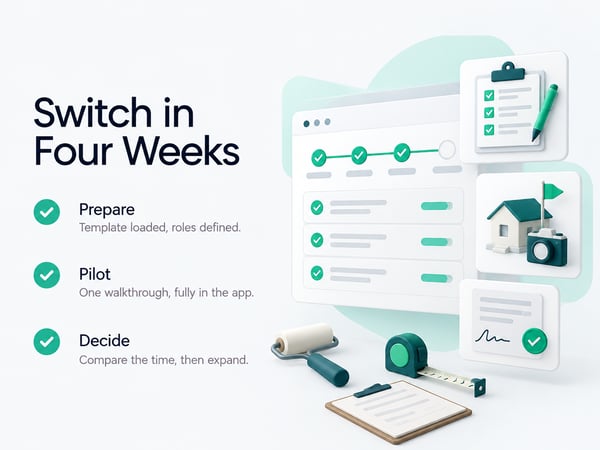
If You Move to Software: How to Switch
Pilot on one or two jobs. Do not convert every active list at once.
Week 1: Prepare
- [ ] Pick the tool and confirm it works on your phone and your subs' phones
- [ ] Load your punch list template, with rooms or areas and trades
- [ ] Decide who creates items and who verifies them
- [ ] Set status definitions so everyone means the same thing by "complete"
Week 2: Run a pilot
- [ ] Use it on the next walkthrough
- [ ] Take photos at the item, in the app
- [ ] Assign items and confirm subs received notifications
- [ ] Hold a short call with subs explaining the process
Week 3: Close out the pilot
- [ ] Verify items in the app
- [ ] Generate the report and get the sign-off
- [ ] Compare time spent to your spreadsheet jobs
Week 4: Decide
- [ ] Expand to all new jobs, adjust, or revert
Tell your subs early that photos are required at completion. Put the requirement in the subcontract. See how to negotiate a construction contract for language on documentation and completion.
Questions to Ask in a Punch List Software Demo
- Show me an item being created on a phone with a photo, in under a minute
- Does it work offline on a site with no signal?
- Show me a sub seeing only their items and marking one complete
- Show me the verification step and the audit trail
- Show me the homeowner or owner review and sign-off
- Show me the final report with photos
- Can I import my existing template?
- Can I export all my data if I cancel?
- What does it cost for my number of users and projects?
Also ask how it connects to the rest of your field workflow. Punch list items work best next to inspections and time records. See the field inspection workflow for how inspections and photos link up.
Common Mistakes With Either Tool
Starting the list too late. Begin pre-walks at roughly 80% completion, while trades are still on site, so most items close before the formal walkthrough.
Vague descriptions. "Fix drywall" wastes a trip. Write location, size, and desired outcome.
No owner or due date. Every item needs one name and one date.
Skipping verification. A sub saying it is done is not the same as done. Verify and photograph.
No cutoff. Define when the list is final, and how later items are handled.
Ignoring the data. Review which trades and rooms generate the most items and fix the cause upstream.
See construction project closeout for the full closeout process, and how to fire a subcontractor for the documentation to build when a sub keeps failing corrections.
Using Punch List Data to Improve Future Jobs
After several jobs, your punch list history shows where quality problems start.
Review:
- Items per job by project type
- Most common item categories: paint, trim, hardware, flooring
- Trades with the highest item counts
- Average days to close an item
- Hours of crew time spent on punch list work
If paint touch-ups dominate every list, change the painting process, such as final coat timing or protection. If one sub generates three times the items of others, address it before the next job. Better estimates follow from knowing what closeout costs. See how to win construction bids, contractor profit and loss statement, and construction WIP report.
For platform comparisons covering time tracking and field tools, see top 5 time tracking apps, top 5 BusyBusy alternatives, and TaskTag vs. BusyBusy. For closeout tracking on outdoor and site work, see time tracking for landscapers and time tracking for construction workers.
Related Resources
Punch List and Inspection:
- Construction Punch List Template and Closeout Checklist: copy-ready template and closeout checklist
- Field Inspection Workflow: checklists, photos, and reports together
TaskTag Features:
- GPS Time Tracking for Construction: track closeout labor by cost code
- Construction Time Tracking Software: platform overview
- Time Tracking for Construction Workers: crew clock-in guide
- Top 5 Time Tracking Apps: platform comparison
- Top 5 BusyBusy Alternatives: alternatives guide
- TaskTag vs. BusyBusy: feature comparison
- Time Tracking for Landscapers: tracking for outdoor crews
Related Blog Posts:
- Construction Project Closeout: full closeout process
- Construction Retainage: open items and payment release
- Construction Defect Claims: documentation in disputes
- Construction Cash Flow Management: final payment timing
- How to Negotiate a Construction Contract: completion and documentation clauses
- How to Fire a Subcontractor: documenting sub performance
- How to Win Construction Bids: using closeout data in estimates
- Contractor Profit and Loss Statement: closeout costs in financials
- Construction WIP Report: profitability through closeout