


Roofing contractors who manage projects with spreadsheets and group texts lose an average of 8–12%...
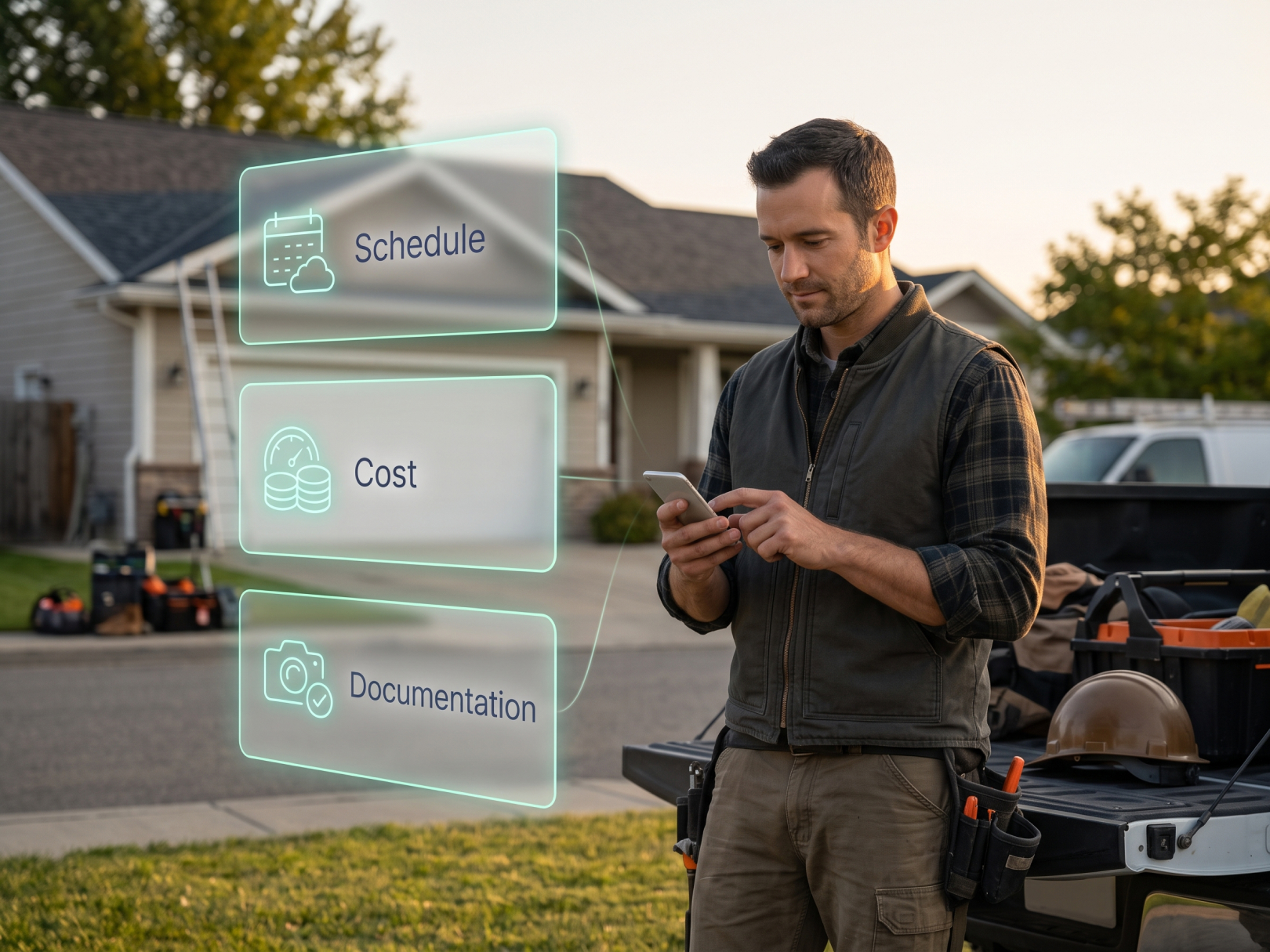 A roofing project manager's job comes down to three things: crews on the right roof, materials on site before they are needed, and every scope change documented before the work happens. Most roofing margin leaks come from missing one of those three, not from a bad estimate. A checklist keeps them from slipping when five jobs are running and the weather changes the plan by 7 AM.
This is the operational companion to the roofing project manager role guide, which covers what the role is and what it pays. Here you get the working checklist: what to do each day, each week, and at closeout, with copy-ready lists you can paste into your own system.
The Roofing PM's Three Priorities
Every task on a roofing PM's list supports one of three outcomes: schedule, cost, or documentation. When something looks urgent, ask which outcome it protects. If it protects none, it can wait.
- Schedule: Crews are where they should be, weather is accounted for, and homeowners or building owners know the plan.
- Cost: Labor hours, materials, and dump or equipment charges are tracked against the job budget as they happen, not at month-end.
- Documentation: Photos, change orders, inspections, and signed approvals exist before anyone needs them for a claim, warranty, or payment dispute.
Roofing is harder than most trades on all three. Weather resets schedules without warning, crews move between addresses every few days, and the work is hidden once the roof is done. That last point makes documentation more important here than almost anywhere else.
Daily Checklist: First Hour of the Day
The first hour decides the day. Check weather, crew assignments, and material status before anyone climbs a ladder.
Before crews arrive:
- [ ] Check the hourly forecast for every active address, including wind and afternoon rain, not just the daily summary
- [ ] Confirm each crew's assignment and address for the day
- [ ] Confirm material delivery status, including drop location and timing
- [ ] Confirm dumpster, lift, or crane is on site if the job needs it
- [ ] Review yesterday's open items: unfinished sections, tarped areas, pending inspections
- [ ] Verify permits and inspection appointments for today
At crew start:
- [ ] Confirm every worker has clocked in at the correct job site and cost code
- [ ] Walk the safety plan: fall protection, ladder placement, roof access, weather limits
- [ ] Confirm the day's scope with the foreman, including what gets dried in if weather turns
- [ ] Note any hidden conditions the foreman expects, such as rotted decking or failed flashing
Clock-in matters on a roofing schedule. Crews move between addresses, so unverified hours land on the wrong job. GPS time tracking ties each clock-in to the job site and cost code at the moment work starts. The PM can confirm from the dashboard that the right crew is on the right roof without driving to each one.
Daily Checklist: During and End of Day
Midday is for exceptions: weather changes, deliveries that did not show, and hidden damage found after tear-off.
Midday:
- [ ] Re-check the forecast and decide whether to continue, dry in, or stop
- [ ] Respond to foreman calls about hidden conditions with a documented decision, not a verbal "go ahead"
- [ ] Confirm material counts against what was delivered
- [ ] Verify the crew dashboard shows everyone where they should be
End of day:
- [ ] Confirm the roof is dried in or tarped if work is incomplete
- [ ] Confirm all workers clocked out and flag any missing clock-outs
- [ ] Collect end-of-day photos: completed sections, tarps, any damage found
- [ ] Log hidden conditions and any extra work performed or needed
- [ ] Update the homeowner or building owner on progress and tomorrow's plan
- [ ] Confirm tomorrow's crew, materials, and weather plan
Photo standard: Take photos with a timestamp and location, organized by job and phase. Pre-tear-off, decking condition, underlayment, flashing details, and final completion are the core set. A photo with no timestamp or location is easy to dispute. These photos protect you in warranty claims, insurance work, and disputes over pre-existing damage. For the documentation standard in disputes, see construction defect claims.
Handling Hidden Damage: The Change Order Rule
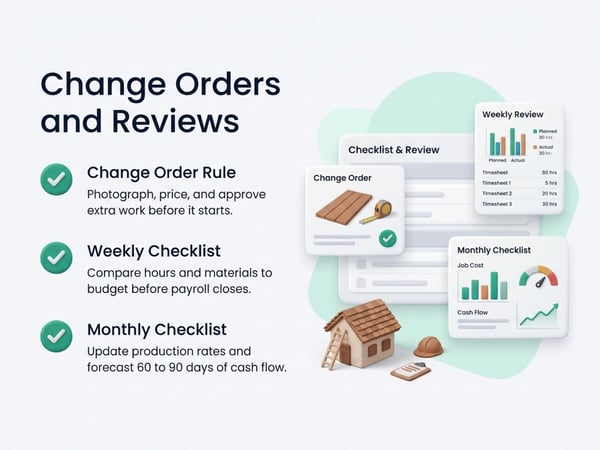
Extra work found during tear-off is the most common unrecovered cost in roofing. The rule is simple: document and get approval before the extra work starts.
When a crew finds rotted decking, damaged framing, or failed flashing the estimate did not cover:
- Stop work on the affected area
- Photograph the condition with a measuring reference in the frame
- Measure the extent: sheets of decking, linear feet of fascia, number of penetrations
- Price it at the unit rates already in the contract
- Send the change order to the customer and get written approval, even by text or email
- Resume work only after approval, and log the time to a change order cost code
If the contract has no unit pricing for decking replacement, add it before the next job. Our guide on how to negotiate a construction contract covers change order language and unit pricing clauses.
Why the cost code matters: Time logged against the original scope and time logged against change order work look identical on a paper timesheet. Separate cost codes show you which hidden conditions were billed and which were absorbed.
Weekly Checklist: Schedule, Cost, and Crew Review
Do the weekly review on the same day every week, ideally before payroll closes, so corrections happen before they reach paychecks.
Schedule:
- [ ] Review next week's jobs against crew capacity and weather outlook
- [ ] Identify jobs likely to slip and tell customers early
- [ ] Confirm material orders for the next 7 to 10 days
- [ ] Reconfirm permits and inspection dates
Cost:
- [ ] Compare actual labor hours to budgeted hours on each active job
- [ ] Compare material used to material ordered, and flag waste or shortages
- [ ] Review dump, equipment, and sub charges against the job budget
- [ ] Flag any job running over budget and find the cause: weather delay, hidden damage, rework, or underbid scope
Crew and payroll:
- [ ] Review all time entries for missing clock-outs, wrong cost codes, and geofence flags
- [ ] Correct records with a note explaining each change
- [ ] Approve the week's hours and export to payroll
- [ ] Check overtime, since roofing crews run long days during good weather stretches
Documentation:
- [ ] Confirm every active job has a complete photo set for the work done so far
- [ ] Confirm every approved change order is signed and attached to the job
- [ ] Confirm every pending change order has a follow-up date
For the software side of this review, see construction time tracking software and time tracking for construction workers. To compare platforms, see top 5 time tracking apps.
Monthly Checklist: Margin and Pipeline
Monthly is when you ask whether jobs are making the margin the estimates promised.
- [ ] Run job cost reports for completed jobs: estimated vs. actual labor, materials, and total
- [ ] Identify which job types or crews consistently run over
- [ ] Update labor production rates (squares per crew-day) from real data
- [ ] Review change order recovery: how much extra work was billed vs. absorbed
- [ ] Review warranty callbacks and the root cause of each
- [ ] Forecast cash flow for the next 60 to 90 days, including seasonal swings
Reality-based production rates are the biggest payoff. A shop that knows its actual squares-per-day by roof type bids tighter and wins more at better margins. See how to win construction bids for how historical data improves bid accuracy, and construction cash flow management for managing seasonal cash swings. For margin tracking, see contractor profit and loss statement and construction WIP report.
Closeout Checklist: Finish the Job and Get Paid
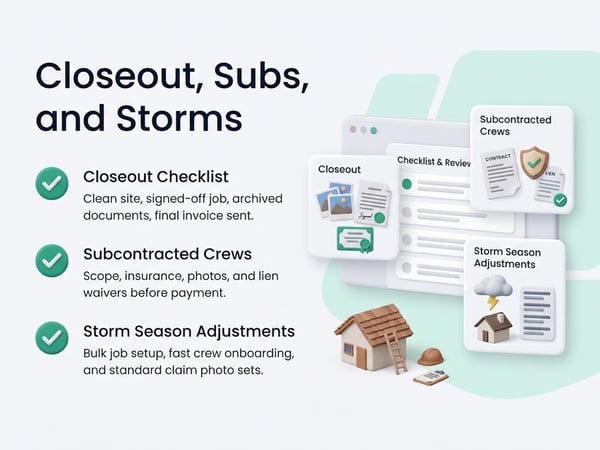
A roofing job is not done when the last shingle is nailed. It is done when the site is clean, the customer has signed off, the documentation is archived, and final payment is collected.
Final site work:
- [ ] Complete magnetic sweep of the property for nails and debris
- [ ] Confirm gutters, landscaping, and driveways are clear and undamaged
- [ ] Remove dumpster, equipment, and temporary protection
- [ ] Final walkthrough with the customer or building owner
Quality verification:
- [ ] Inspect flashings, penetrations, ridge, valleys, and edge details
- [ ] Confirm required municipal inspections passed
- [ ] Confirm manufacturer requirements were met if a manufacturer warranty applies
- [ ] Complete a punch list for any open items, with due dates and photos on completion
Documentation package:
- [ ] Pre-job, in-progress, and completion photos archived by job
- [ ] Signed contract and all signed change orders
- [ ] Material receipts and product specifications
- [ ] Inspection results and permit closeout
- [ ] Warranty paperwork delivered to the customer
- [ ] Signed completion certificate or sign-off
Payment:
- [ ] Final invoice sent the same day as sign-off
- [ ] Lien waivers exchanged where applicable
- [ ] Sub and supplier payments reconciled against job costs
- [ ] Final job cost report completed and filed
For commercial roofing with retainage, see construction retainage and construction project closeout for the closeout documents that trigger release.
Managing Subcontracted Roofing Crews
Many roofing companies run a mix of employees and subcontracted crews. The checklist is the same, but documentation and time tracking get harder with subs.
For subcontracted crews:
- [ ] Written scope, price, schedule, and insurance certificate on file before work starts
- [ ] Sub workers added to your tracking system with access limited to their job, or an agreed process to receive their time records
- [ ] Photo documentation required from sub crews at the same standard as your own
- [ ] Sub invoices compared against logged hours and completed scope before payment
- [ ] Lien waivers collected with each payment
When a sub repeatedly misses schedule or quality standards, document each issue with date, photo, and notice. Our guide on how to fire a subcontractor covers the documentation to build before removing a crew from a job.
Storm Season Adjustments
Storm work changes the checklist: volume jumps, schedules compress, and documentation pressure rises because insurance carriers are involved.
- [ ] Create jobs in bulk from the lead list, each with its own address and geofence
- [ ] Verify license, insurance, and permit requirements for each jurisdiction
- [ ] Add temporary crew or sub capacity with onboarding and time tracking set up on day one
- [ ] Standardize the photo set so every claim file is complete: damage, measurements, completed work
- [ ] Track supplement requests and approved scope separately from the original estimate
- [ ] Watch cash flow closely, since material purchases hit long before insurance payments
Rapid hiring is where time tracking breaks down first. New workers who start without clock-in set up become unverified hours on the wrong jobs. Platforms differ on how fast you can onboard a new worker, and a quick setup process is worth testing. See top 5 BusyBusy alternatives and TaskTag vs. BusyBusy when comparing options. Exterior crews with similar mobile patterns are covered in time tracking for landscapers.
One-Page Printable Checklist
Daily
- [ ] Hourly forecast checked for all addresses
- [ ] Crews, materials, dumpsters, and permits confirmed
- [ ] Every worker clocked in on the right job and cost code
- [ ] Safety plan reviewed
- [ ] Hidden conditions documented with photos and change order sent before work proceeds
- [ ] Roof dried in or tarped; all workers clocked out
- [ ] Photos organized; customer updated
Weekly
- [ ] Next week's schedule vs. crew capacity and weather
- [ ] Actual vs. budgeted hours and materials per job
- [ ] Time entries corrected, approved, exported to payroll
- [ ] Change orders signed or followed up
- [ ] Photo sets complete on every active job
Monthly
- [ ] Job cost reports reviewed
- [ ] Production rates updated
- [ ] Change order recovery reviewed
- [ ] Warranty callbacks analyzed
- [ ] 60 to 90 day cash flow forecast
Closeout
- [ ] Site clean and inspected
- [ ] Punch list closed with photos
- [ ] Documentation package archived
- [ ] Warranty delivered
- [ ] Final invoice sent; lien waivers exchanged
- [ ] Final job cost report filed
Related Resources
Role guide:
- Roofing Project Manager Role Guide: what the role is, skills, and career path
TaskTag Features:
- GPS Time Tracking for Construction: GPS-verified clock-in by job site
- Construction Time Tracking Software: platform overview and setup
- Time Tracking for Construction Workers: crew-level clock-in guide
- Top 5 Time Tracking Apps: platform comparison
- Top 5 BusyBusy Alternatives: alternatives comparison
- TaskTag vs. BusyBusy: direct feature comparison
- Time Tracking for Landscapers: tracking for mobile exterior crews
Related Blog Posts:
- Construction Defect Claims: documentation for warranty and defect disputes
- How to Negotiate a Construction Contract: change order and unit price language
- How to Win Construction Bids: using job history to bid accurately
- Construction Cash Flow Management: seasonal cash planning
- Contractor Profit and Loss Statement: margin reporting
- Construction WIP Report: tracking active job profitability
- Construction Retainage: retainage on commercial roofing
- Construction Project Closeout: closeout documentation
- How to Fire a Subcontractor: documenting sub performance problems
.jpg?height=200&name=2%20(69).jpg)

