
.jpg?height=200&name=2%20(74).jpg)
A residential punch list works best when you walk it room by room, in the same order every time,...
 Most remodelers who search for a Buildxact alternative do not need to abandon Buildxact. They need to add or replace the one piece that is not working. Buildxact is built around estimating, takeoffs, proposals, and purchasing. If estimating is the part you rely on, ripping out the whole system to fix a field-operations gap is the expensive way to solve a small problem.
This guide gives you a decision framework: which functions to keep in Buildxact, which to move, how to tell whether a full switch makes sense, and how to run the change without losing a month of data. It also covers where a field time tracking and job costing tool fits next to an estimating platform. Verify every feature against your own Buildxact plan and a current demo, since plans and features change.
First, Name the Problem You Are Solving
"Switching from Buildxact" can mean five different problems. Each one has a different fix.
|
Your actual problem |
Likely fix |
|---|---|
|
Crew hours are tracked on paper or in a separate app and re-keyed |
Add GPS time tracking with payroll export |
|
Job cost reports lag because labor data arrives late |
Add real-time labor capture by cost code |
|
Estimating is slow or takeoffs are painful |
Evaluate estimating alternatives |
|
Cost has grown faster than the value you use |
Right-size the plan, or switch |
|
You need field documentation (photos, inspections) |
Add a field documentation tool |
Write down which row describes your situation before you talk to a single vendor. If your pain is in rows 1, 2, or 5, you probably need a complement to Buildxact and not a replacement. If it is row 3 or 4, a full comparison makes sense, and the top 5 Buildxact alternatives guide compares the platforms side by side.
What Buildxact Is Built For
Buildxact's center of gravity is the pre-construction side: building a cost estimate, turning it into a proposal, and managing purchasing and scheduling around it.
Remodelers and custom builders typically use it for:
- Takeoffs and estimates from plans and cost databases
- Proposals and client-facing documents
- Purchase orders and supplier management
- Scheduling and project tracking
- Invoicing and accounting integration
- Budget vs. actual comparisons
That is a strong core. The question is what happens after the estimate becomes a job and the crew starts working. Confirm in a demo how your plan handles each of these:
- How do field workers record hours, and can they clock in with GPS verification?
- Do labor hours feed job costs as they happen or after someone enters them?
- Can foremen use the mobile app offline on a site with no signal?
- Does time data export cleanly to your payroll system?
- How do you capture photos and inspection records tied to the job?
If the answers satisfy you, stay put. If they require workarounds, that is where an add-on earns its place.
What You Gain From a Dedicated Field Time Tracking Tool
Estimating tells you what the job should cost. Field time tracking tells you what it is costing right now. The gap between the two is where remodeling margin disappears.
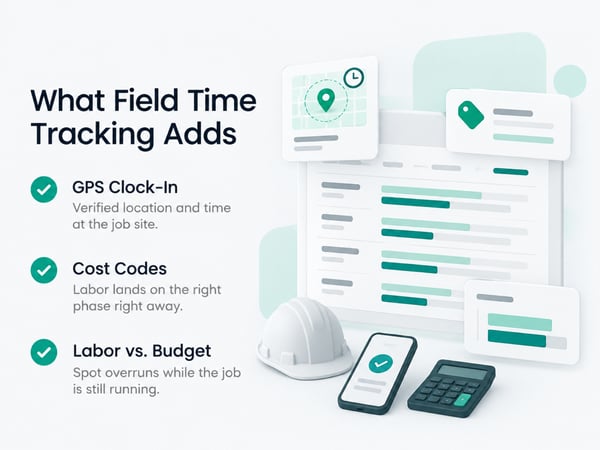
A dedicated construction time tracking software platform adds:
GPS-verified clock-in. Workers clock in at the job site, with location and timestamp recorded. This removes buddy punching and end-of-week guesses. See GPS time tracking for how geofencing and location verification work.
Cost code capture at clock-in. The worker chooses a cost code when starting work, so labor lands on the right phase immediately and not weeks later in an office.
Real-time labor against budget. The estimate you built becomes the budget, and actual hours update against it as crews work. You see a framing overrun in week two, not at closeout.
Payroll-ready exports. Approved hours go to payroll without re-entry. Payroll admin time drops from hours to minutes.
Documentation tied to time. Verified crew presence next to photos and inspections gives you stronger records in disputes.
For crew-level setup, see time tracking for construction workers.
What You Might Lose by Switching Entirely
A full switch costs more than the new subscription. Count the data and habits you would have to rebuild.
- Your cost database and assemblies. Years of refined unit costs and assemblies are the most valuable thing in an estimating system. Confirm what exports and in what format before you commit.
- Estimate and proposal templates your team already knows by heart
- Supplier price links and purchasing history
- Active job data, including open budgets, committed costs, and schedules
- Integrations with your accounting software
- Team habits. Estimators and project managers have muscle memory that takes weeks to rebuild
Moving mid-project is the riskiest time to switch. Start with new jobs, not active ones, and run old jobs to completion in the existing system.
The Keep-and-Add Approach
For many remodelers, the best setup is estimating in one system and field operations in another, connected by consistent cost codes.
|
Function |
Where it lives |
|---|---|
|
Estimates, takeoffs, proposals |
Buildxact (keep) |
|
Client contracts and change order pricing |
Buildxact (keep) |
|
Purchasing and supplier orders |
Buildxact (keep) |
|
GPS crew time tracking |
Field time tracking tool (add) |
|
Labor cost by cost code, in real time |
Field time tracking tool (add) |
|
Payroll export |
Field time tracking tool (add) |
|
Field photos and inspections |
Field tool (add) |
|
Accounting |
QuickBooks or equivalent |
The key to making two systems work: matching cost codes. If your Buildxact estimate uses code 06-100 for rough framing, the field tool must use the same code. Then labor actuals line up against the estimate line for line, with no translation step. Build the cost code list once and load it into both.
The honest tradeoff: Two systems means two logins and a handoff. The payoff is that each tool does its own job well. If the handoff becomes painful, that is the signal to evaluate a full switch.
When a Full Switch Makes Sense
Switch fully when the problem is in the core of what Buildxact does, or when the cost no longer matches the value.
Reasons that justify a full change:
- Estimating is consistently slow, or takeoffs create errors
- You use very few of the features you pay for
- Your business changed, such as from small remodels to larger custom builds, and the platform no longer fits
- Integrations you need are missing
- Support or reliability problems persist after you have raised them
Reasons that usually do not justify one:
- A single missing feature that an add-on solves
- A temporary frustration after an update
- A new tool's polished demo
Before you switch, run both on a pilot. Our top 5 Buildxact alternatives comparison is a starting point for which platforms to put on the shortlist.
Questions to Ask Any Vendor Before You Move
Ask for answers in writing and for a live demo on your own data, not a sample project.
Data and migration
- What can I export from Buildxact, and what can this platform import?
- Who does the migration, and how long does it take?
- How are my cost database and assemblies brought over?
Field operations
- Show me a GPS clock-in, a geofence violation, and how a supervisor corrects a record
- Show me labor against budget by cost code on an active job
- What happens offline, and how does it sync?
Payroll and accounting
- Show me the payroll export into my payroll system, including overtime handling
- Show me the QuickBooks (or other) integration working end to end
Cost and terms
- What is the full price for my user count and features, for year one and year two?
- What are the contract terms and cancellation rules?
- What happens to my data if I cancel?
For comparison across time tracking platforms specifically, see top 5 time tracking apps, top 5 BusyBusy alternatives, and TaskTag vs. BusyBusy.
How to Run the Change Without Losing Data
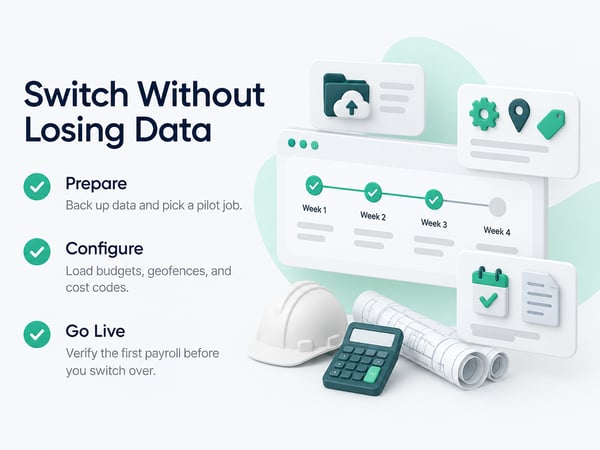
Run the new tool on one or two new jobs first. Do not change every active job at once.
Week 1: Prepare
- [ ] Export all data from your current system and store a backup
- [ ] Build one shared cost code list for estimating and field tools
- [ ] Choose one or two new jobs as the pilot
- [ ] Decide who owns the rollout
Week 2: Configure
- [ ] Create the pilot jobs in the new tool with budgets from the estimates
- [ ] Draw geofences and load cost codes
- [ ] Add workers, supervisors, and permissions
- [ ] Connect payroll and accounting, and run a test export
Week 3: Go live on the pilot
- [ ] Supervise first clock-ins on site
- [ ] Review the dashboard daily for the first week
- [ ] Compare labor actuals to the estimate weekly
Week 4: Evaluate
- [ ] Compare payroll admin time to before
- [ ] Check whether job cost reports are current
- [ ] Decide: expand to all new jobs, adjust, or stop
Do not retire the old process until the first live payroll runs cleanly from the new tool. For a day-by-day setup plan, see construction time tracking software.
Using Actual Labor Data to Improve Estimates
The biggest payoff of connecting field time to estimating is better future estimates. After five to ten similar jobs, you have real labor hours by phase to replace assumptions.
Review each completed job:
- Estimated vs. actual hours by cost code
- Which phases overran, and why: scope change, weather, rework, or underbid
- Which crews or foremen consistently hit or beat the budget
- Real production rates, such as hours per room or per square foot
Feed the corrections back into your cost database. Estimates that reflect your real production win more bids at healthier margins, because you stop underpricing the phases that run long. See how to win construction bids for how to use job history in pricing, and construction WIP report for tracking profitability during a job. For overall financial reporting, see contractor profit and loss statement.
Keep Contracts and Change Orders Tied to the Data
Whatever tools you use, your contract should support the process. Change orders, allowances, and payment schedules need clear language so the labor you track can be billed.
- Define how change orders are priced and approved before work proceeds
- Set unit rates for common hidden-condition items
- Describe the closeout and final payment process
See how to negotiate a construction contract for the clauses that matter. Track cash timing closely during any system change, since a messy transition can delay invoicing. See construction cash flow management.
For the documentation side of the job, see construction project closeout, and for crews working outdoors or across scattered sites, see time tracking for landscapers.
One-Page Decision Checklist
Diagnose
- [ ] I wrote down the specific problem I need to solve
- [ ] I identified whether it is estimating, field operations, cost, or documentation
Evaluate Buildxact first
- [ ] I asked Buildxact how my plan handles GPS time, labor costing, and payroll export
- [ ] I checked whether I am using the features I pay for
Decide
- [ ] Field gap only: add a field time tracking tool and keep Buildxact
- [ ] Core estimating problem or cost mismatch: evaluate full alternatives
- [ ] Not sure: pilot before committing
Protect your data
- [ ] Full export backed up
- [ ] Shared cost code list built
- [ ] Pilot on new jobs, not active ones
- [ ] First live payroll verified before retiring the old process
Related Resources
Buildxact Alternatives:
- Top 5 Buildxact Alternatives: platform comparison for remodelers and builders
TaskTag Features:
- GPS Time Tracking for Construction: verified clock-in and geofencing
- Construction Time Tracking Software: platform overview and setup
- Time Tracking for Construction Workers: crew clock-in guide
- Top 5 Time Tracking Apps: platform comparison
- Top 5 BusyBusy Alternatives: alternatives guide
- TaskTag vs. BusyBusy: feature comparison
- Time Tracking for Landscapers: tracking for outdoor crews
Related Blog Posts:
- How to Win Construction Bids: estimating with historical data
- Construction WIP Report: tracking profitability on active jobs
- Contractor Profit and Loss Statement: financial reporting
- Construction Cash Flow Management: cash timing during transitions
- How to Negotiate a Construction Contract: change order and payment terms
- Construction Project Closeout: closeout documentation
- Construction Retainage: retainage and payment release