
When you're running andmanaging a construction project, every dollar counts. CompanyCam charges $39...
Plenty of contractors, builders, and project managers are turning to tools that better fit the way they actually work in the field. Whether you're after simpler workflows, stronger communication, or better pricing, here are five top Busybusy alternatives that deserve a spot on your jobsite in 2026.
Why are contractors searching for Busybusy alternatives? Busybusy focuses primarily on GPS time tracking and job costing — but most field teams need more: photo documentation, task management, team communication, and payroll-ready timesheets, all without juggling multiple apps.
💡 Not sure which tool fits your team? Skip the research. 👉 Book a Free 10-Minute Demo with TaskTag — See it live on a real jobsite workflow. No pressure, no credit card.
Quick Comparison: Top 5 Busybusy Alternatives at a Glance
|
Tool |
GPS Tracking |
Photo Docs |
Task Management |
Team Chat |
Free Plan |
Starting Price |
|
TaskTag |
✅ |
✅ |
✅ |
✅ |
✅ 3 projects |
$16/user/mo |
|
Jibble |
✅ |
❌ |
❌ |
❌ |
✅ Limited |
Free–$3.99/user |
|
QuickBooks Time |
✅ |
❌ |
❌ |
❌ |
❌ |
$20+/mo |
|
Clockify |
❌ |
❌ |
Limited |
❌ |
✅ Unlimited |
Free–$7.99/user |
|
Workyard |
✅ |
❌ |
❌ |
❌ |
❌ |
$16+/user/mo |
TaskTag is the only tool in this list that combines GPS time tracking, photo documentation, task management, and team chat in one app.
1. TaskTag – Built by Builders, Perfect for the Job Site
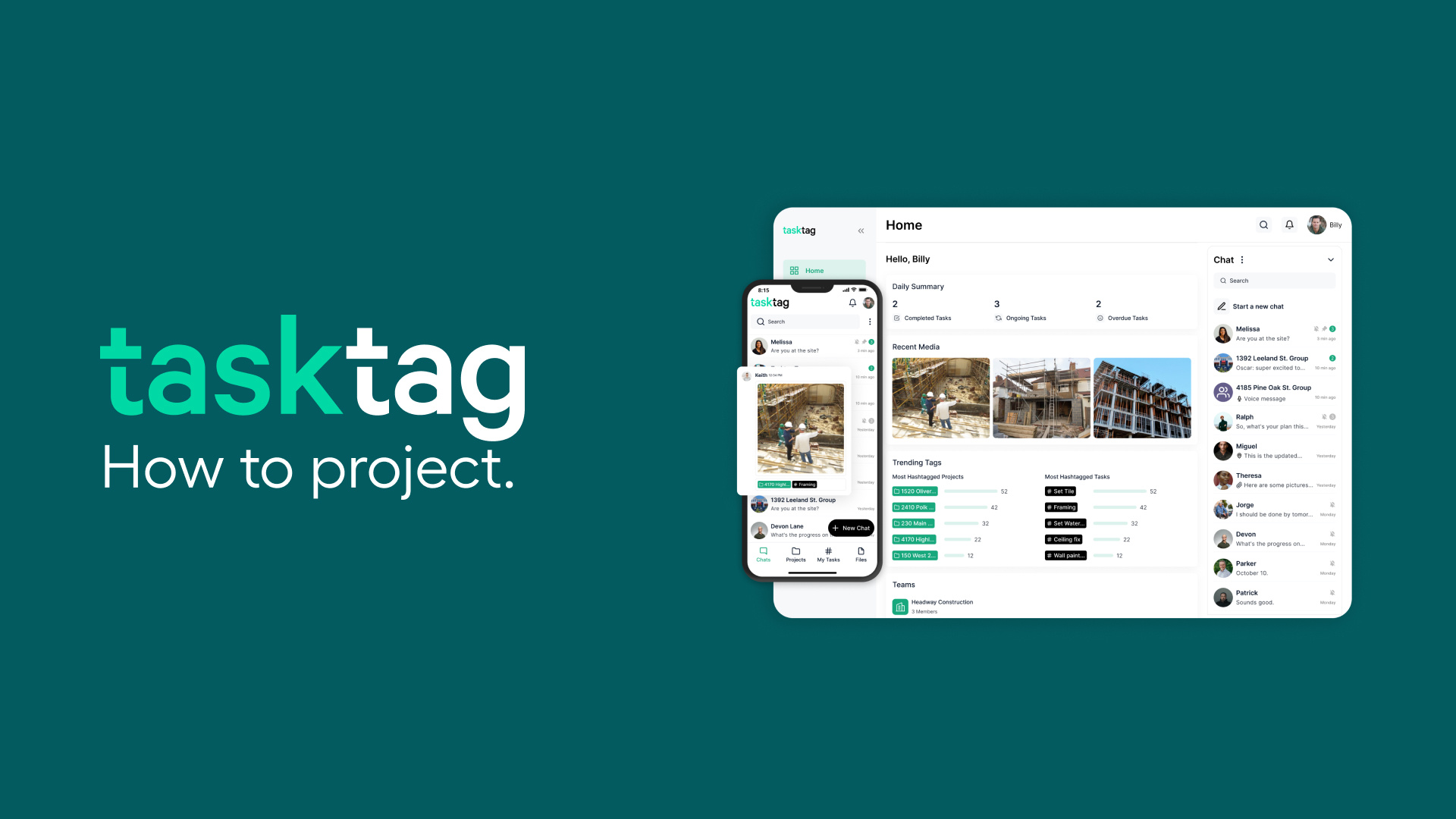
Why TaskTag Is the Best Alternative to Busybusy
TaskTag has emerged as a true game‑changer for contractors with its all-in-one construction project management approach. Unlike Busybusy, which mainly emphasizes time tracking and job costing, TaskTag delivers conversational tools, visual documentation, timesheets, and calendar sync — all in one no-nonsense app designed for field teams.
TaskTag Key Features:
- Full‑feature timesheets with GPS‑verified check-ins, intuitive check-in/out, and streamlined payroll-ready exports — see how it works →
- Photo documentation, tagging, task tracking, and team chat — without needing separate apps — learn more about photo workflows →
- Calendar Sync: See TaskTag tasks alongside your personal/work schedule
- Built by builders — rugged, simple, and field-tested for real‑world jobs
- Chat-Based Interface — Keep conversations, tasks, and project updates in one centralized location
- Free Contributor Access — Only the headquarters pays for the service, while all other users can join for free
- Mobile-Friendly Design — TaskTag is optimized for on-site workers who need quick and easy access to project updates — watch mobile tutorials →
- Tagging System — Use tags to organize files, videos, and photos in projects, all through chat — see smart tags in action →
What TaskTag Replaces
Instead of paying for Busybusy + a separate task tool + a separate chat tool, TaskTag covers all three:
|
What You Need |
With Busybusy |
With TaskTag |
|
GPS Time Tracking |
✅ Busybusy |
✅ Built-in |
|
Task Management |
❌ Need another app |
✅ Built-in |
|
Team Chat |
❌ Need another app |
✅ Built-in |
|
Photo Documentation |
❌ Need another app |
✅ Built-in |
|
Client Collaboration |
❌ Need another app |
✅ Free for clients |
|
Payroll Export |
✅ Busybusy |
✅ Built-in |
|
Monthly Cost (5 users) |
$$$+ |
$80/mo (annual) |
What TaskTag Users are Saying
"TaskTag made project tracking and photo documentation easy, saving time and staying organized like never before." — Dom's Workshop
More contractor stories: How Sosa Construction Solved Their Communication Headaches | How InTown Homes Streamlined Project Management | How TaskTag Revolutionized ISC Building Materials
🏗️ See TaskTag's GPS timesheets + task management in action. 👉 Book a Free 10-Minute Demo →
2. Jibble – Simple, Straightforward Timekeeping
Jibble focuses purely on time tracking with user-friendly clock-in/out, GPS verification, facial recognition, and policy controls. It's ideal for teams needing reliable attendance logs and geofenced accountability — but it lacks TaskTag's broader project management capabilities.
Pros of Jibble
- One-tap clock in/out via devices
- Facial recognition and GPS validation
- Custom shift and break rules
- Free plan with solid core features
Cons of Jibble
- No built-in project chat or document storage
- Limited reporting features in basic plan
- No task management or photo documentation — you'll still need separate apps
Bottom line: Jibble works for basic attendance tracking but won't replace your task manager, photo tool, or communication platform. If those gaps matter to your jobsite, TaskTag covers all of them at $16/user/month.
3. QuickBooks Time – Built for Accounting Integration
Ideal for businesses already using QuickBooks, this tool offers GPS time monitoring, cost-code tracking, and seamless payroll sync. While solid on financials, it doesn't include photo documentation, chat, or task management — meaning separate apps might still be needed.
Pros of QuickBooks Time
- Native integration with QuickBooks payroll
- GPS tracking and live "Who's Working" dashboard
- Detailed job cost reporting and note attachments
Cons of QuickBooks Time
- Can be pricey for growing teams
- Lack of visual/photo project tracking
- No team chat or field communication tools
- No punch list or checklist functionality
Bottom line: Great if you're already embedded in the QuickBooks ecosystem. If you also need field documentation and crew communication, you'll be paying for 2–3 tools. TaskTag's GPS timesheet feature exports payroll-ready reports without the accounting lock-in.
4. Clockify – Unlimited Free Time Tracking
Clockify stands out for offering unlimited user and project access on its free tier, making it popular for teams needing a basic timesheet system. Its manual clock or timer interface works well, but field utility suffers without GPS or integrated documentation features.
Pros of Clockify
- Free unlimited user plan with project selection
- Accurate timer-based tracking
- Reporting exports and integrations with project tools
Cons of Clockify
- No GPS or field-oriented features
- Time entries rely on manual input — not ideal for construction jobsites
- No photo documentation or daily field reports
- No crew communication — you'll still need a separate chat tool
Bottom line: Clockify's free tier is appealing, but manual time entry creates inaccuracies on jobsites. TaskTag's GPS-verified clock-in/out removes manual entry errors while adding photo proof and task tracking that Clockify can't match.
5. Workyard – The Construction-Focused Alternative
Designed for field crews, Workyard offers super-accurate GPS tracking, geofencing, shift scheduling, and built-in compliance tools. It's loaded with field-specific functionality — but its premium pricing may exceed the budgets of smaller teams.
Pros of Workyard
- Geo-fenced auto clock-in
- Meal- and break-rule enforcement
- Attendance exceptions tracking
- Integrates with payroll and HR systems
Cons of Workyard
- Cost scales per user/site and can get expensive
- Setup and UI may overwhelm smaller crews
- No photo documentation or construction photo workflows
- No built-in team communication or task management
Bottom line: Workyard is a strong pick for large crews with compliance requirements and budget to match. For small-to-mid-size contractors who also need photos, tasks, and chat, TaskTag delivers comparable GPS accuracy plus full project management at $16/user/month.
💰 Paying for multiple tools when one would do? 👉 Book a Free Demo — See how TaskTag replaces your time tracker, task manager, and chat app in one place.
What's the Best Alternative to Busybusy?
- Choose TaskTag if you want a single platform with GPS timesheets, project chat, photo documentation, and calendar sync — all tailored for busy construction teams
- Choose Jibble or QuickBooks Time if you only need time logs and native payroll integration
- Choose Clockify for a free and simple timesheet system — but get ready to add separate tools for communications and documentation
- Choose Workyard for advanced field compliance, geo tools, and job costing — with a budget to match
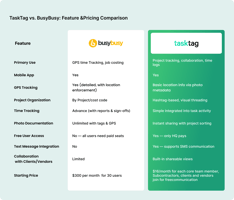
🆕 Side-by-Side: TaskTag vs Busybusy
|
Feature |
Busybusy |
TaskTag |
|
GPS Time Tracking |
✅ |
✅ |
|
Payroll Export |
✅ |
✅ |
|
Job Costing |
✅ |
✅ |
|
Photo Documentation |
❌ |
✅ |
|
Task Management |
❌ |
✅ |
|
Team Chat |
❌ |
✅ |
|
Punch Lists |
❌ |
✅ → |
|
Client Collaboration |
❌ |
✅ Free |
|
Checklists |
❌ |
✅ → |
|
Calendar Sync |
❌ |
✅ → |
|
Free Plan |
❌ |
✅ 3 projects |
|
Price |
$9–$16+/user/mo |
$16/user/mo (annual) |
The bottom line: If you need GPS time tracking and everything else a jobsite demands, TaskTag is the only tool on this list that delivers all of it without requiring add-on apps.
Time tracking is mission-critical for contractors: it affects payroll, billing, compliance, and job costing. While Busybusy delivers power-packed GPS and cost tools, TaskTag builds on that foundation to offer a broader construction workflow hub — combining timesheets, chat, photos, tasks, and calendar sync in one easy-to-use package.
Also worth reading:
- Why Crews Miss Clock-Ins — and How TaskTag Fixes Construction Timesheets
- Top 5 Time Tracking Apps for Your Jobsite in 2026
- Ditch the Paper Timecards: TaskTag Timesheets Is Here
- TaskTag vs Busybusy: Which Time Tracking Tool Is Right for You?
- Do You Really Need 3 Apps to Do 1 Job?
About the Author:
Mak Pastrana is a top-rated digital marketing consultant helping architects, designers, and personal brands generate more qualified leads through social media. He specializes in content strategy, SEO, and brand positioning that turns attention into real business growth. Connect with Mak on LinkedIn for insights on marketing, branding, and audience growth. He also writes for RNTBLE.com.
Ready to see how TaskTag fits your operations? 👉 Book a Free 10-Minute Demo → — Or start your free trial with 3 active projects, no credit card required.