

BusyBusy is the most widely recognized name in construction time tracking. It built its reputation...
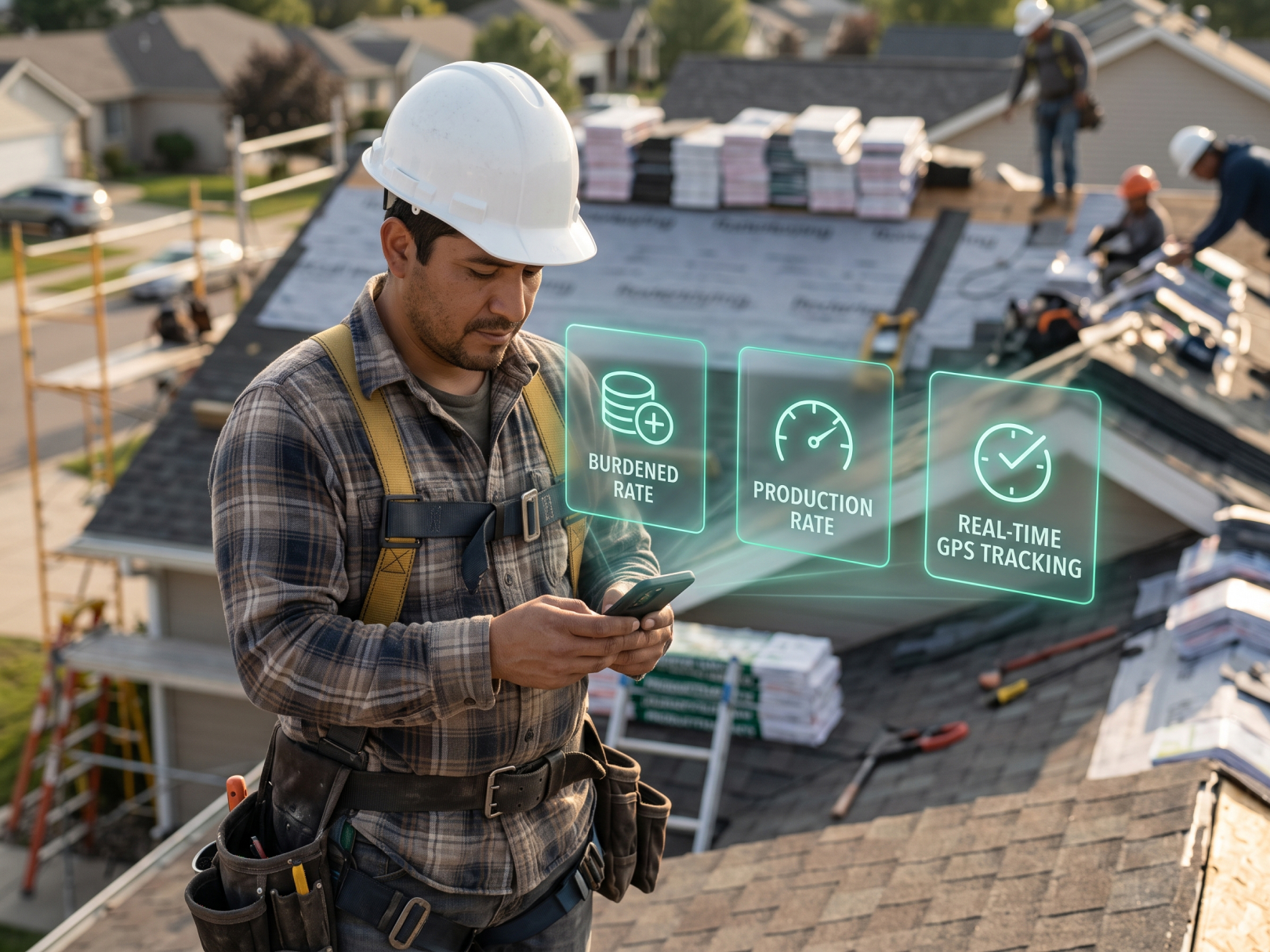 Roofing contractors who manage projects with spreadsheets and group texts lose an average of 8–12% of revenue to scheduling gaps, untracked crew hours, and change orders that never make it onto the invoice. That's not a rough estimate — it's the consistent finding from roofing contractors who switch to dedicated project management software and run the before-and-after numbers. The revenue was always there. The tracking system wasn't.
Roofing project management software is a specific category. General construction software misses the features that roofing work requires: weather-dependent scheduling, steep-slope crew deployment, rapid material turns, storm surge capacity, and daily job documentation that doubles as warranty protection. This guide covers what to look for, what to skip, and how to evaluate a platform before committing to it.
What Roofing Project Management Software Actually Needs to Do
Roofing project management has three failure modes that software either solves or ignores: crews in the wrong place, hours that don't match invoices, and change orders that disappear between the job site and the office.
Every platform claims to solve scheduling, time tracking, and billing. The question is whether it solves them for roofing specifically — which means storm dispatch, subcontractor coordination across multiple simultaneous jobs, and the documentation requirements that roofing warranties and insurance claims demand.
The core functions that matter for roofing contractors:
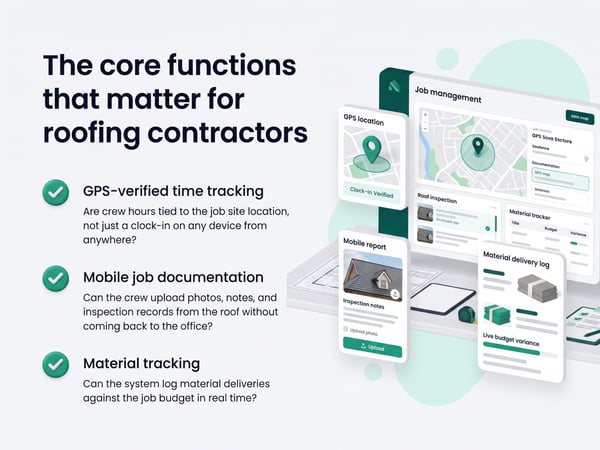
- Crew scheduling with weather awareness — Can the system flag weather conflicts on scheduled jobs and reschedule without losing the crew assignment?
- GPS-verified time tracking — Are crew hours tied to the job site location, not just a clock-in on any device from anywhere?
- Mobile job documentation — Can the crew upload photos, notes, and inspection records from the roof without coming back to the office?
- Change order tracking — Does a scope change on site create a documented change order that routes to the customer and updates the invoice automatically?
- Material tracking — Can the system log material deliveries against the job budget in real time?
- Subcontractor coordination — Can the system handle multiple subcontractor crews on the same job with separate time records and separate billing?
Software that covers all six is rare. Most platforms cover three or four and require workarounds for the rest.
GPS Time Tracking: The Non-Negotiable Feature for Roofing
Roofing crews work at addresses that change every 1–5 days. Without GPS-verified time tracking, there's no way to confirm which crew was at which address for how many hours — and payroll, job costing, and billing all break down as a result.
Paper timesheets and honor-system clock-ins fail roofing contractors for a specific reason: roofing crews are mobile, often working multiple addresses per week, and supervisors frequently aren't on site for the full shift. A crew of four finishes a residential job early and moves to a commercial job — if time tracking isn't GPS-verified, those hours land on the wrong job cost report and the billing is wrong before the invoice is sent.
GPS time tracking for roofing works by:
- Requiring clock-in from within a geofenced radius around the job site address
- Logging GPS coordinates at every clock-in and clock-out
- Flagging clock-ins that occur outside the job site boundary for superintendent review
- Attributing hours automatically to the correct job by geofence match
For a roofing contractor running 4–6 crews simultaneously, this is the difference between job cost reports that are useful and job cost reports that are fiction.
See construction time tracking software for full platform setup and time tracking for construction workers for the crew-level clock-in workflow.
Scheduling Features That Matter for Roofing
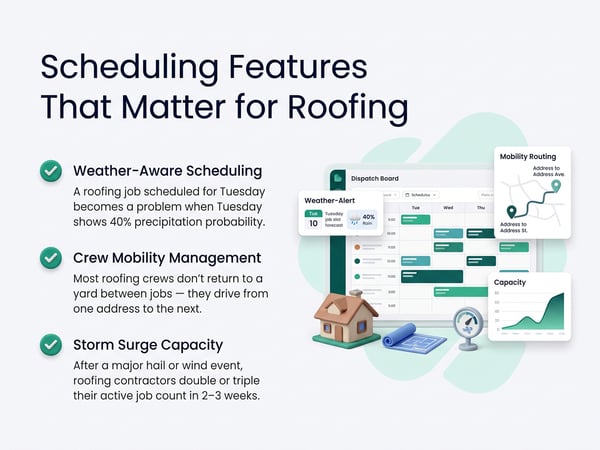
Roofing scheduling fails when the system doesn't account for the two constraints that make roofing different from every other trade: weather and crew mobility.
Weather-aware scheduling: A roofing job scheduled for Tuesday becomes a problem when Tuesday shows 40% precipitation probability. Good roofing project management software either integrates weather data into the schedule view or makes rescheduling fast enough to do without friction. Look for: drag-and-drop reschedule, crew reassignment without losing job-site data, and customer notification on date change.
Crew mobility management: Most roofing crews don't return to a yard between jobs — they drive from one address to the next. Scheduling software that treats each job as an isolated event doesn't support this. Look for: route optimization across jobs, drive time factored into daily schedules, and crew availability by region rather than by fixed location.
Storm surge capacity: After a major hail or wind event, roofing contractors double or triple their active job count in 2–3 weeks. The software needs to scale without manual re-setup. Look for: bulk job creation from a lead list, rapid crew assignment across new jobs, and insurance documentation workflow built in.
Key scheduling questions to ask in a demo:
- How do you reschedule a crew when weather pushes 3 jobs simultaneously?
- Can a crew member be assigned to two different jobs in the same day with separate time records?
- How does the system handle subcontractor scheduling vs. direct employee scheduling?
- What's the maximum number of concurrent jobs the system has been tested at?
Job Costing for Roofing: What the Software Must Track
Roofing job costing fails when the system doesn't separate labor, materials, and subcontractor costs in real time — because all three are moving simultaneously and the margin lives in the gap between them.
A residential re-roof has three cost streams running in parallel: the direct labor crew clock-in from day one, the material delivery from the supplier, and the dumpster/haul-off subcontractor invoice. If the project management software captures only labor time and not the other two, the job cost report is incomplete and the margin calculation is wrong.
Roofing-specific cost codes to configure:
|
Category |
Example cost codes |
|---|---|
|
Labor |
Tear-off, decking replacement, underlayment, shingle installation, flashing, ridge, cleanup |
|
Materials |
Shingles, underlayment, decking, ice/water shield, flashing, fasteners, ridge cap |
|
Subcontractors |
Haul-off/dumpster, gutter work, skylight installation, solar/solar removal |
|
Equipment |
Crane rental, lift rental, generator, compressor |
|
Other |
Permit, inspection fee, warranty registration |
Software that requires custom code setup before first use isn't necessarily bad — roofing cost codes are specific enough that a pre-loaded generic list often does more harm than good. What matters is that the system supports per-job cost code configuration and that workers can select the right code at clock-in without seeing a list of 200 irrelevant options.
For how job cost data connects to financial reporting, see contractor profit and loss statement and construction WIP report.
Change Order Management: Where Roofing Revenue Leaks
Roofing change orders are the single largest source of revenue leakage in the industry. The work happens. The customer sees it. The invoice doesn't include it because the change was communicated by text and never formally documented.
The pattern is consistent: a crew finds rotted decking, replaces 8 sheets, texts the foreman, and the foreman tells the office "there was some extra wood." The office has no documentation, no customer sign-off, and no unit price to apply. The extra work ends up absorbed into the job cost as an unexplained overrun.
What a change order workflow needs:
- Site-created change order: Foreman can create a change order from the job site — description, quantity, unit, photo documentation — before the extra work starts
- Customer notification: Change order routes to the customer via email or text for approval before work proceeds
- Signed approval: Customer e-signs or approves via text, creating a documented record
- Automatic invoice update: Approved change order adds to the job invoice automatically, with no re-entry required
Without steps 3 and 4, change order management is just a notes feature. The documentation that protects the invoice needs to be captured before the work happens, not reconstructed afterward.
For the contract language that supports change order enforcement, see how to negotiate a construction contract.
Mobile Documentation for Roof Inspections
The documentation a roofing crew creates on day one is the documentation that wins or loses insurance claims, warranty disputes, and defect allegations two years later.
Pre-install photos showing existing damage are evidence that defects predate the installation. Post-install photos showing completed flashings, pipe boots, and ridge details are evidence that the work met spec. Without this documentation, every dispute is the contractor's word against the homeowner's.
Roofing project management software must support mobile photo documentation with:
- Time and location stamp on every photo — critical for insurance documentation; a photo with no metadata is contestable
- Photo categorization by inspection type — pre-install existing conditions, mid-install progress, post-install completion, punch list items
- Auto-attachment to the job record — photos taken from the app attach to the correct job without manual filing
- Customer-shareable photo report — one-click report the customer receives showing installation documentation
Some platforms export photo reports in insurance-claim-ready formats. For storm restoration contractors working with insurance adjusters, this feature alone can justify the software cost.
For more on project documentation as legal protection, see construction defect claims and construction project closeout.
Subcontractor Management in Roofing Software
Most roofing contractors use a mix of direct employees and subcontractors — and most roofing software handles one well and the other poorly.
The direct employee workflow is straightforward: workers clock in on the app, hours flow to payroll, job cost updates in real time. The subcontractor workflow is where systems break down — either the sub uses their own time tracking (which the GC can't see) or the GC's system doesn't support subcontractor users without giving them access to everything.
What good subcontractor handling looks like:
- Subcontractor workers added as restricted users with access only to their assigned job
- Separate cost tracking for subcontractor labor vs. direct employee labor
- Subcontractor invoice comparison against logged hours — flag if invoice doesn't match records
- Lien waiver tracking tied to payment milestones
For larger commercial roofing jobs, construction retainage and construction bonds guide cover the financial controls that subcontractor management feeds into.
Roofing Software Comparison: Key Features by Platform Type
|
Feature |
General construction software |
Roofing-specific software |
Time tracking + PM platform |
|---|---|---|---|
|
GPS crew time tracking |
Sometimes |
Sometimes |
Always |
|
Weather-aware scheduling |
Rarely |
Often |
Rarely |
|
Insurance photo documentation |
Rarely |
Often |
Rarely |
|
Change order workflow |
Sometimes |
Often |
Rarely |
|
Storm surge job creation |
Rarely |
Sometimes |
Rarely |
|
Payroll integration |
Sometimes |
Rarely |
Always |
|
Cost code by job |
Sometimes |
Sometimes |
Always |
|
Subcontractor time tracking |
Rarely |
Sometimes |
Sometimes |
|
Mobile-first design |
Sometimes |
Often |
Always |
General construction software is over-engineered for roofing's specific workflow. Roofing-specific software often lacks the payroll and time tracking integrations that make back-office operations efficient. A construction time tracking platform with project management features covers the core workflow — crew time, job costing, change orders — without the complexity of platforms built for commercial GCs managing 50-person teams.
For platform comparisons and switching decisions, see top 5 time tracking apps, top 5 BusyBusy alternatives, and TaskTag vs. BusyBusy.
What to Look for in a Demo
Most roofing contractors make software decisions from a sales demo that shows the easy cases. The questions that reveal whether a system works for roofing are the hard-case questions.
Ask these in every roofing software demo:
Scheduling:
- Show me how you reschedule 4 jobs at once when weather pushes them all by 2 days
- How does crew availability display when the same worker is assigned to morning and afternoon jobs at different addresses?
- Can I create 50 new jobs from a lead import after a hail event?
Time tracking:
- Show me a GPS clock-in on a job site and what the supervisor sees in real time
- What happens when a worker clocks in outside the geofence — can I still approve it?
- How does foreman clock-in work for workers without smartphones?
Job costing:
- Show me a job cost report mid-job with labor hours, material costs, and subcontractor costs on one screen
- How does a change order update the job cost in real time?
- Can I compare actual vs. estimated cost by cost code before the job is complete?
Documentation:
- Show me the photo workflow from a crew member's phone to the customer-ready report
- What metadata is captured on each photo — time, location, job, category?
- How does the photo report get shared with an insurance adjuster?
A platform that can answer all of these in a live demo is built for roofing workflow. A platform that deflects, says "that's on the roadmap," or requires a manual workaround for more than one of them isn't.
Choosing Software for Different Roofing Business Types
The right platform depends on volume, crew size, and whether the business is primarily residential, commercial, or storm restoration.
Residential roofing (1–5 crews, 50–200 jobs/year):
- Priority: mobile-first design, photo documentation, change order workflow, simple payroll export
- De-prioritize: complex project scheduling, multi-phase tracking, certified payroll
- Platform fit: time tracking + PM platform with strong mobile app
Commercial roofing (5–20 crews, larger jobs, longer timelines):
- Priority: multi-phase scheduling, subcontractor management, certified payroll, lien waiver tracking
- De-prioritize: insurance photo workflow, storm dispatch features
- Platform fit: general construction software with strong time tracking integration
Storm restoration (variable volume, rapid scaling):
- Priority: bulk job creation, insurance documentation workflow, rapid crew deployment, weather scheduling
- De-prioritize: multi-phase project tracking, certified payroll
- Platform fit: roofing-specific software with GPS time tracking built in
For cash flow management across variable-volume storm restoration seasons, see construction cash flow management. For bid pricing that reflects actual historical labor data, see how to win construction bids.
Feature Checklist: Roofing Project Management Software
Evaluate any platform against this list before committing:
Scheduling:
- [ ] Drag-and-drop rescheduling across multiple jobs simultaneously
- [ ] Crew availability view by date and region
- [ ] Subcontractor scheduling separate from direct employee scheduling
- [ ] Weather integration or fast reschedule workflow
Time tracking:
- [ ] GPS-verified clock-in tied to job site location
- [ ] Geofencing per job site with supervisor override
- [ ] Foreman clock-in for workers without smartphones
- [ ] Offline mode with sync when connectivity returns
- [ ] Real-time crew dashboard showing who's clocked in where
Job costing:
- [ ] Cost codes configurable per job
- [ ] Real-time actual vs. estimated cost view
- [ ] Material delivery logging against job budget
- [ ] Subcontractor cost separate from direct labor cost
- [ ] Change order updates job cost automatically
Documentation:
- [ ] Time and GPS stamp on all photos
- [ ] Photo categorization by type (pre-install, progress, post-install)
- [ ] Customer-shareable photo report
- [ ] Insurance documentation export format
Admin and billing:
- [ ] Change order workflow with customer signature
- [ ] Invoice updated automatically from approved change orders
- [ ] Payroll export to QuickBooks, ADP, or Paychex
- [ ] Subcontractor invoice comparison against time records
Related Resources
TaskTag Features:
- GPS Time Tracking for Construction — GPS verification and geofencing for roofing crews
- Construction Time Tracking Software — platform overview and setup guide
- Time Tracking for Construction Workers — crew-level app setup for field workers
- Top 5 Time Tracking Apps — platform comparison for construction
- Top 5 BusyBusy Alternatives — roofing-relevant platform alternatives
- TaskTag vs. BusyBusy — direct feature comparison
- Time Tracking for Landscapers — GPS crew tracking for outdoor trades
Related Blog Posts:
- Contractor Profit and Loss Statement — financial reporting downstream of accurate job costing
- Construction WIP Report — work-in-progress tracking for active roofing projects
- Construction Cash Flow Management — managing cash flow through storm surge seasons
- Construction Retainage — retainage on commercial roofing contracts
- How to Negotiate a Construction Contract — change order clauses for roofing contracts
- Construction Defect Claims — photo documentation as defect claim defense
- Construction Project Closeout — closeout documentation for roofing warranties
- How to Win Construction Bids — historical job cost data improving roofing bid accuracy
.jpg?height=200&name=2%20(69).jpg)