

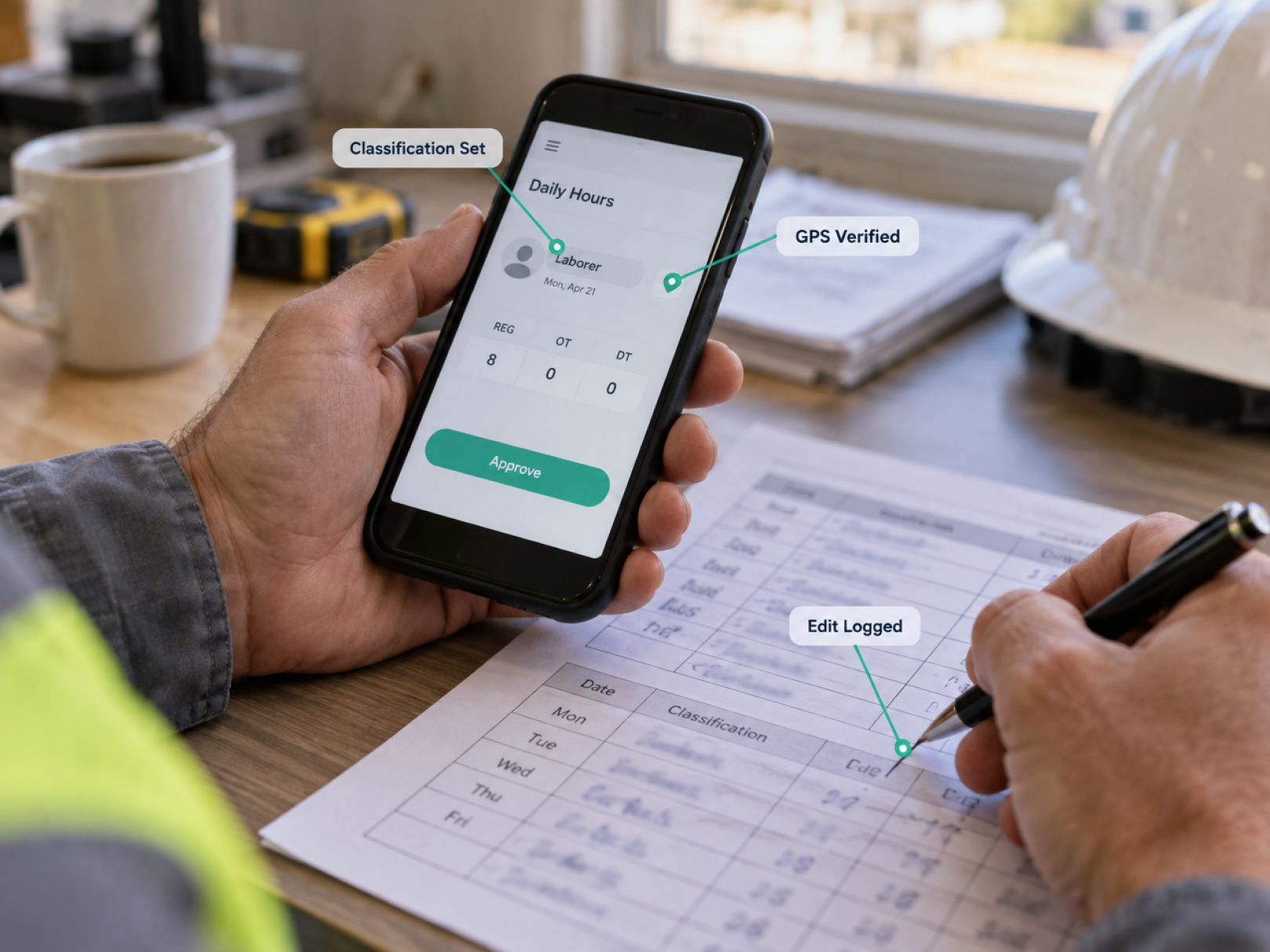
 On prevailing wage work, your timesheet is no longer just a payroll input. It is a compliance document that a government agency can audit. The hours, the job classification, and the dates have to match what you report on the weekly certified payroll, and they have to hold up if an auditor interviews a worker and compares notes. Paper timesheets that were filled in on Friday from memory are the weakest possible foundation for that.
GPS timesheets give you a daily, location-verified record of who worked, where, and for how long. Combined with classification tracking, they make certified payroll reporting a matter of review and export instead of reconstruction. This guide covers what prevailing wage and certified payroll require at a practical level, which time data you need to capture, and how to set up a GPS timesheet workflow that supports it.
This is operations guidance, not legal advice. Prevailing wage rules vary by project, funding source, and state. Confirm requirements with your contracting agency, your contract documents, and an attorney or payroll compliance specialist.
Prevailing Wage and Certified Payroll in Plain Terms
Prevailing wage laws require contractors on covered public projects to pay workers at least the locally determined wage and fringe rate for their classification. Certified payroll is the weekly report that proves you did.
Key concepts:
- Federal projects: The Davis-Bacon Act and related acts apply to many federally funded or assisted construction contracts above a threshold set in the law. Wage rates come from wage determinations attached to the contract.
- State and local projects: Many states have their own prevailing wage laws, often called "little Davis-Bacon" acts, with their own rates, thresholds, and reporting systems.
- Classifications: Workers are paid according to the work they actually perform, such as laborer, carpenter, electrician, or operator, each with its own rate. A worker who does two kinds of work in one day may owe two classifications for that day.
- Fringe benefits: The required total includes a base wage plus fringes, which can be paid as benefits or as cash.
- Weekly certified payroll: You submit a weekly payroll report with worker names, classifications, hours by day, rates, deductions, and a signed statement of compliance. On federal work, a common format is Form WH-347, though agencies may accept other formats.
- Overtime: Hours over 40 in a workweek typically require overtime pay at the proper rate.
- Records retention: You must keep payroll records for a required period after the project ends. Check your contract and applicable law.
- Apprentices: Registered apprentices may be paid at apprentice rates only within program rules and ratios.
Because the rules differ by project, treat the contract's wage determination and reporting instructions as the authority.
Why Paper Timesheets Create Compliance Risk
Most prevailing wage violations are record problems, not intent problems. The work was done, but the record cannot prove it.
Common paper-based failures:
- Missing or rounded hours. Workers write approximate start and end times. Auditors compare them to site logs, delivery tickets, and worker interviews.
- Wrong or missing classifications. A worker spent half a day laboring and half a day running equipment, but the card says one thing.
- Late reconstruction. Foremen fill in the week on Friday. Details blur.
- Unsigned or illegible entries. Records cannot be verified.
- Mixed projects. A worker splits time between a public and a private job, and the hours are guessed.
- Overtime errors. Hours across projects in the same week are not totaled, so overtime is missed.
- Payroll mismatch. Hours on the timesheet differ from hours on the payroll and from the certified report.
Penalties for violations can include back wages, withheld payments, and in serious cases debarment from public work, according to the governing law. The record is your defense. See construction retainage for how withheld payments affect cash flow on public contracts.
What GPS Timesheets Add to a Compliance Workflow
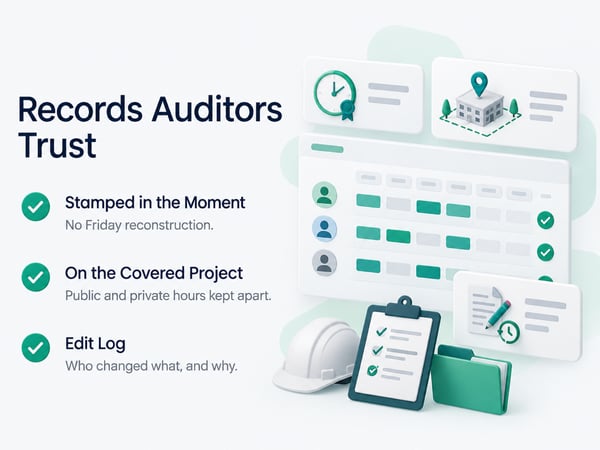
A GPS timesheet creates a contemporaneous record, which is the kind of record auditors trust.
For each worker, each day, the system records:
- Clock-in and clock-out times, stamped at the moment of the event
- GPS location confirming presence at the project site
- Project and cost code selected at clock-in
- Classification or work type, if your setup captures it
- Any supervisor edits, with who made them, when, and why
- Total daily and weekly hours, with overtime calculated
That record answers the questions an auditor asks: Who was on site? When? For how long? Doing what? Was overtime paid? Did the hours match the payroll?
Location verification is especially useful for workers who split time between projects. Geofences per project attribute hours correctly, so public and private hours do not get mixed. For how location accuracy and corrections work in practice, see our guide to GPS time tracking.
Time Data You Need to Capture
Build the required fields into the time system, so certified payroll is a report and not a project.
|
Data point |
Why it matters |
|---|---|
|
Worker full name and unique ID |
Matches payroll and certified report |
|
Project and contract number |
Keeps covered and non-covered hours separate |
|
Date |
Daily hours are required on the report |
|
Clock-in and clock-out |
Basis for hours worked |
|
Hours by classification |
Different classifications carry different rates |
|
Work location (GPS) |
Verifies presence on the covered project |
|
Cost code or task |
Supports classification and job cost |
|
Overtime hours |
Calculated across all projects in the workweek |
|
Supervisor approval |
Shows review before payroll |
|
Edit log |
Documents corrections and reasons |
If your system cannot capture hours by classification per day, you will rebuild that information by hand every week. Ask about this before you choose a platform.
Setting Up Classifications and Cost Codes
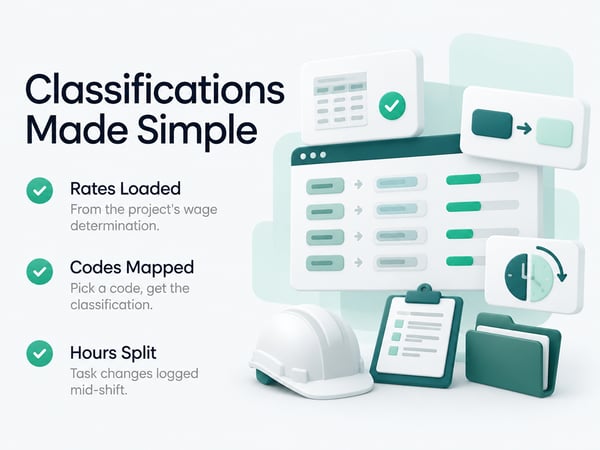
Make the classification choice easy and hard to get wrong.
Approach:
- Load the wage determination. List the classifications that apply to the project and the required rates.
- Assign each worker's default classification based on their trade and registration.
- Create cost codes that map to classifications, such as "Carpenter, framing" or "Laborer, cleanup." Workers choosing a code are also choosing a classification.
- Allow a mid-shift switch. If a worker changes tasks, they clock into the new code. The system splits the hours.
- Flag unusual combinations. A laborer clocking hours under an electrician code should trigger review.
- Lock project-specific rates so payroll uses the correct rate for that contract.
Train foremen to confirm classification at the morning huddle: who is doing what work today. A short check prevents most classification errors. For crew setup, see time tracking for construction workers and construction time tracking software.
The Weekly Certified Payroll Workflow
Run the same process every week, on the same day, so nothing is left to the end.
Daily (supervisor, 10 minutes)
- [ ] Confirm every worker on site is clocked in on the covered project
- [ ] Review GPS flags and correct errors with a note
- [ ] Confirm classification for any worker who changed tasks
- [ ] Confirm lunch breaks and end-of-day clock-outs
Weekly close (payroll admin, 1 to 2 hours)
- [ ] Lock the workweek and approve all time records
- [ ] Review overtime across all projects for each worker
- [ ] Confirm each classification and rate against the wage determination
- [ ] Export hours by worker, by day, and by classification
- [ ] Prepare the certified payroll report with the required deductions and fringe information
- [ ] Reconcile reported hours to actual pay
- [ ] Have the authorized person sign the statement of compliance
- [ ] Submit on time through the required system or to the required agency
- [ ] Archive the report, the time records, and supporting documents
Deadlines are strict. Set an internal cutoff earlier than the agency's so corrections can happen before submission. Ask your payroll provider whether they can produce certified payroll reports from your exported hours, or whether you need a separate tool.
Handling Workers Across Public and Private Projects
Hours on covered and non-covered projects must be separated, but overtime is generally determined across the whole workweek.
Example:
- A worker spends 24 hours on a private job and 24 hours on a prevailing wage project in the same workweek
- Total hours: 48, so 8 hours are overtime
- You must pay the covered rate on the covered hours and handle the overtime premium correctly, using the method your agency and attorney confirm
Geofenced clock-ins keep the hours attributed correctly. Payroll then totals hours across projects for overtime. A system that treats each project separately will miss the overtime. Test this scenario in any platform demo.
Subcontractors and Prevailing Wage
On covered projects, the prime contractor is generally responsible for subcontractor compliance, so you need their records too.
Practices to build into your subcontract:
- Require subs to follow the same wage and reporting rules
- Require weekly certified payroll submissions to you by a set day
- Require time records that support their payroll
- Reserve the right to audit and to withhold payment for missing reports
- Require them to flow the requirements down to lower tiers
Two ways to handle sub time:
- Subs use your tracking system for covered-project hours, so you have verified daily records
- Subs use their own system and send records with their certified payroll
Using one system gives you consistent data and fewer surprises. See how to negotiate a construction contract for compliance and audit clauses, and how to fire a subcontractor for documenting repeated failures.
Preparing for an Audit or Worker Interview
Auditors compare paper to people. Make sure both tell the same story.
What an audit typically looks at:
- Certified payrolls against time records and canceled checks
- Classification accuracy against the work actually performed
- Overtime computation
- Fringe benefit payments
- Apprentice ratios and registration
- Worker interviews on site, checking the story against the record
How to be ready:
- [ ] Keep time records, payroll registers, certified reports, and fringe documents together by project
- [ ] Keep daily reports and site photos that show who was working where. See the field inspection workflow for documentation that ties photos to records
- [ ] Train foremen to describe work and classifications accurately and consistently
- [ ] Brief workers that they can answer honestly about their work and pay
- [ ] Correct any known errors promptly and document the correction
- [ ] Retain records for the required period
If you discover an underpayment, talk to your attorney about how to correct and report it. GPS time records and edit logs make it easier to show what happened and when. See construction defect claims and construction project delay for how verified records support your position in other disputes.
Cost and Cash Flow Implications
Compliance affects cash. Late or rejected certified payrolls can delay payments.
- Agencies may withhold payment until reports are complete and correct
- Rework of reports costs admin time every week
- Back-wage findings can include interest and penalties
- Retainage and withholds interact with compliance issues
Automated time capture reduces report preparation time and rejection risk. Track the cost of compliance as its own job cost line, so your bids reflect it. See how to win construction bids for pricing public work, construction cash flow management for managing slow-pay situations, and contractor profit and loss statement for margin visibility.
For platform comparison on payroll integration and classification handling, see top 5 time tracking apps, top 5 BusyBusy alternatives, and TaskTag vs. BusyBusy. For landscape and site-work crews on public projects, see time tracking for landscapers.
Questions to Ask a Platform Before Bidding Public Work
- Can workers log hours by classification, and can one day be split across classifications?
- Does it calculate overtime across multiple projects in a workweek?
- Can I set different pay rates per project and classification?
- Can I export daily hours by worker and classification in a format my payroll provider or certified payroll tool accepts?
- Does it keep an edit log with who, when, and why?
- Does it support apprentice rates and ratios, or how should I track them?
- Can I lock a closed workweek?
- Can I give subs restricted access limited to the covered project?
- Does it work offline and sync with the original timestamp?
- How long are records retained, and can I export everything if I cancel?
Copy-Ready Compliance Checklist
Before the project starts
- [ ] Wage determination or rate sheet loaded and classifications mapped
- [ ] Reporting format, due dates, and submission system confirmed with the agency
- [ ] Time tracking project, geofence, and classification-based cost codes created
- [ ] Workers added with IDs matching payroll, and default classifications set
- [ ] Subcontract flow-down and reporting requirements in place
- [ ] Foremen trained on classification and clock-in rules
Every day
- [ ] All workers clocked in at the correct project and classification
- [ ] Task changes logged under the right code
- [ ] GPS flags reviewed and corrected with notes
- [ ] Daily report and photos completed
Every week
- [ ] Workweek locked after approval
- [ ] Overtime reviewed across all projects
- [ ] Hours, rates, and classifications reconciled to payroll
- [ ] Certified payroll prepared, signed, and submitted on time
- [ ] Sub payrolls collected and reviewed
- [ ] Records archived by project
At closeout
- [ ] Final certified payroll filed, marked final if required
- [ ] Records retained for the required period
- [ ] Closeout documents delivered. See construction project closeout
Related Resources
TaskTag Features:
- GPS Time Tracking for Construction: verified daily time records by project
- Construction Time Tracking Software: platform overview and setup
- Time Tracking for Construction Workers: crew clock-in guide
- Top 5 Time Tracking Apps: platform comparison
- Top 5 BusyBusy Alternatives: alternatives guide
- TaskTag vs. BusyBusy: feature comparison
- Time Tracking for Landscapers: tracking for site-work crews
- Field Inspection Workflow: documentation tied to records
Related Blog Posts:
- Construction Retainage: withholds and payment release on public work
- How to Negotiate a Construction Contract: compliance and audit clauses
- How to Fire a Subcontractor: documenting repeated compliance failures
- How to Win Construction Bids: pricing public work
- Construction Cash Flow Management: slow-pay and compliance holds
- Contractor Profit and Loss Statement: margin and compliance costs
- Construction Project Closeout: final reports and records
- Construction Defect Claims: records in disputes
- Construction Project Delay: verified time as evidence