

.png?width=1080&height=810&name=1%20(24).png)
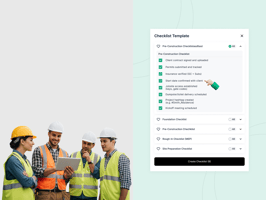
If your team is juggling job walks, procurement, inspections, and subs — you know the smallest...
One of the most frequent questions TaskTag users ask is:
Should this checklist item become a task, or is marking it done enough?
It may seem like a small detail. But when it comes to project clarity, accountability, and reporting, the difference between a project checklist and a task checklist is significant.
Understanding this distinction helps teams avoid cluttered dashboards, missed deadlines, and broken accountability chains.
What You’ll Learn
- What makes each checklist type unique
- When to use one over the other
- How project checklist items convert into full tasks
- How visibility works inside chat and activity logs
- Real-world examples for field teams and operations managers
If you're exploring structured workflow systems, these principles align closely with modern Construction Management Tools & Features used across jobsite environments.
The Rule of Thumb
Ask yourself:
Does this need a due date, an assignee, or to show up in the activity log?
If yes → Use a Project Checklist item (you can convert it into a task later).
If no → Keep it as a Task Checklist item to avoid unnecessary complexity.
This flexibility is what makes TaskTag different from rigid task-only tools.
For a deeper look at structured planning frameworks, see this Construction Project Management Guide.
Project Checklist: Big-Picture Planning with Built-In Flexibility
What Is a Project Checklist?
A Project Checklist is tied to the entire project. It acts as a high-level planning layer.
These items can be:
- Checked off quickly
- Created manually or from a template
- Converted into full tasks with:
- Due dates
- Assignees
- Viewer roles
- Chat threads
- Activity log tracking
This scalable structure is especially powerful for teams using Project Management Software for General Contractors where field issues often escalate into formal tasks.
When to Use a Project Checklist
Use it when:
- Planning phase-by-phase work
- Managing field inspection checkpoints
- You need structure now, ownership later
Real-World Example: Facility Maintenance Site Inspection
Project Checklist:
- Inspect HVAC filters
- Check electrical panels
- Verify lighting zones
If a faulty light is discovered:
Convert “Verify lighting zones” into a task
Assign it to the electrical team
Set a due date
Track updates via chat and activity log
Only projects, tasks, check-ins, and photos appear in the activity log. Checklist items alone do not — unless converted.
For teams that rely heavily on structured documentation, TaskTag also supports Construction Photo Documentation Software to attach visual records to escalated tasks.
Task Checklist: Micro-Steps Inside Execution
What Is a Task Checklist?
A Task Checklist lives inside an individual task. It breaks down the smaller steps required to complete that task.
Task checklist items:
- Do not have individual due dates
- Cannot be converted into tasks
- Do not appear in chat or activity logs
- Are marked complete inside the task only
This makes them ideal for internal execution steps.
When to Use a Task Checklist
Use it for:
- Standard operating procedures
- Repetitive workflows
- Internal QA steps
- Micro-process tracking
Real-World Example: Catering Confirmation
Task: Confirm Catering
Task Checklist:
- Select menu with vendor
- Confirm dietary restrictions
- Upload signed agreement
These are execution details handled by the assigned owner. They do not require escalation or project-wide visibility.
Teams managing high-volume coordination, such as roofing operations using Roofing Contractor Project Management Software, rely on this distinction to avoid overloading dashboards.
Macro vs Micro: The Structural Difference
| Feature | Project Checklist | Task Checklist |
|---|---|---|
| Attached to | Entire Project | Individual Task |
| Can be templated | Yes | No |
| Can convert to task | Yes | No |
| Due date & assignee | Yes (if converted) | No |
| Chat & comments | Yes (after conversion) | No |
| Activity log visibility | Yes (after conversion) | No |
| Ideal for | Phases, milestones, inspections | SOP steps, internal execution |
Why This Distinction Matters
Using the right checklist type leads to:
Cleaner dashboards
Better field visibility
Less clutter
Stronger accountability
Improved reporting accuracy
Only meaningful work escalates into tasks — keeping activity logs clean and actionable.
If you're evaluating structured platforms versus photo-only documentation tools, review this full TaskTag vs CompanyCam Comparison.
For real-world workflow improvements, see how teams improved coordination in this Construction Project Management Case Study and how logistics were optimized in this Construction Delivery Tracking Case Study.
Planning That Grows With You
The strength of Project Checklists is that they start lightweight — and scale only when necessary.
You do not need to decide upfront whether something deserves full task status.
Convert only when needed.
Assign when ownership matters.
Track only what impacts execution.
Meanwhile, Task Checklists allow individuals to manage micro-steps without polluting dashboards.
This structure supports workflows commonly searched as:
- checklist project management tools
- field inspection software
- jobsite task tracking
- SOP checklist systems
If you want to explore pricing options for scaling your team, review the available TaskTag Pricing Plans.
Ready to Organize Work the Smart Way?
In TaskTag, not everything needs to be a task — but when it does, you are ready.
Let checklists organize.
Let tasks execute.
You can:
To learn more about the platform, visit About TaskTag or explore additional insights in the Construction Management Resources section.
Offer
Start Using Smarter Checklist Project Management Today
With TaskTag you can:
- Create flexible project checklists
- Convert items into trackable tasks
- Attach photos and documentation
- Maintain clean activity logs
- Scale without dashboard clutter
Start free today and build a workflow that grows with your projects.
.png?height=200&name=9%20(1).png)
.png?height=200&name=1%20(26).png)