
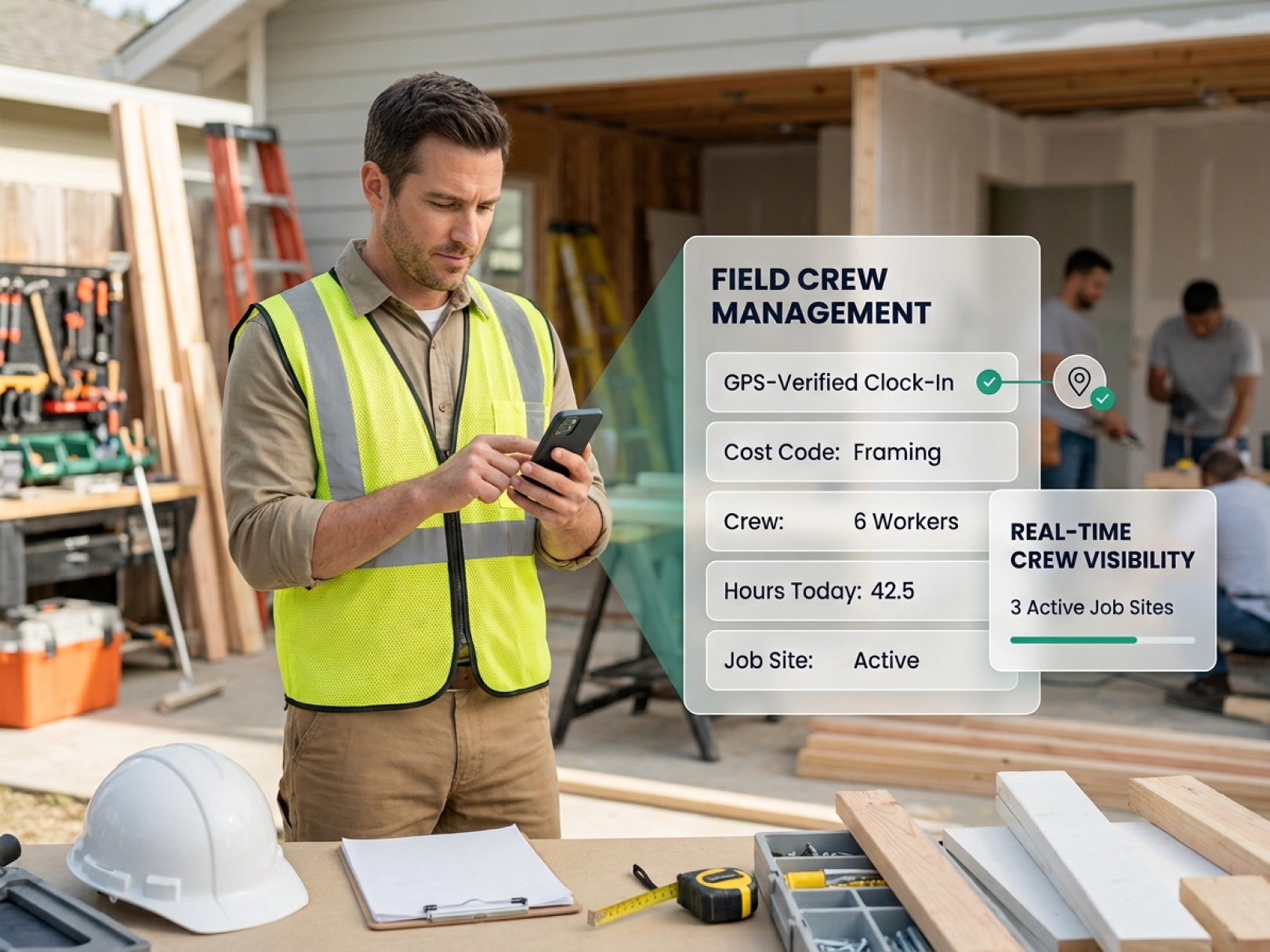
 Houzz Pro is a business management platform built for the design-build overlap — the interior designers who manage renovations, the kitchen and bath remodelers who also do design, and the custom home builders whose clients expect a design experience alongside construction management. For those profiles, it works. For a roofing contractor, a framing subcontractor, a commercial GC, or a trade contractor who doesn't sell design services, it's a significant monthly expense for a platform built around features they'll never use.
The contractors who look for Houzz Pro alternatives are typically in one of two situations. The first: they tried Houzz Pro for the lead generation or client communication features and found the field management, time tracking, and job costing tools too limited for how construction actually runs. The second: they're currently using Houzz Pro and the platform has drifted toward the design and consumer marketplace side of the market in ways that don't serve their operational needs.
This guide covers what Houzz Pro does, where it falls short for field-heavy contractors, and the best alternatives based on the type of work you're running.
For a side-by-side feature comparison with scores, see top Houzz Pro alternatives. The decision framework below covers how to match the right platform to the specific gaps Houzz Pro left open.
What Houzz Pro Is Built For
Houzz Pro is the professional tier of Houzz — the consumer home design and renovation discovery platform with millions of homeowner users. The "Pro" product gives home professionals access to the homeowner audience through a professional profile, combined with business management tools: CRM for leads from Houzz's marketplace, client collaboration tools with mood boards and product selections, 3D floor planning, project management, invoicing, and payment processing.
Houzz Pro's genuine strengths:
- Lead generation from the Houzz homeowner marketplace — the platform sends qualified leads directly to contractors with strong profiles
- Client-facing project experience — homeowners can review selections, approve decisions, and communicate through a branded client portal
- Product sourcing and spec management — for design-build contractors, linking product selections to project budgets and orders
- Professional profile and online presence — Houzz profiles rank well for local search queries
- Invoicing tied to the client relationship — proposals, contracts, and invoices in the same platform where client communication happens
Who it's built for: Interior designers managing renovations. Kitchen and bath remodelers who sell design-first. Custom home builders with design studios. Landscape designers who also manage installation.
Where Houzz Pro Falls Short for Contractors
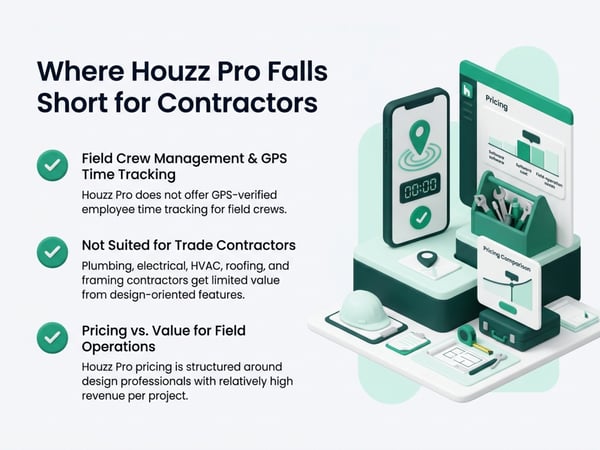
The gaps that drive contractors to look for alternatives are consistent:
Field crew management and GPS time tracking. Houzz Pro doesn't offer GPS-verified employee time tracking. For a contractor with a crew of 8–20 workers across multiple job sites, there's no mobile clock-in, no GPS verification, no cost code attribution, and no real-time crew visibility. Labor costs have to be tracked in a separate system and reconciled manually into the job budget.
Construction-specific job costing. The financial tools in Houzz Pro are oriented toward design billing — fixed-fee design contracts, product markups, and hourly consulting. They're not built for construction job costing with cost codes by trade, labor hours by scope, material tracking, and subcontract management against a bid budget.
Subcontractor coordination. The subcontractor management tools are basic — not built for a GC managing 8–12 subcontract scopes simultaneously, each with their own billing cycle, scope boundary, and documentation requirement.
Not suited for trade contractors. A plumbing contractor, electrician, HVAC contractor, roofer, or framing contractor gets almost no value from Houzz Pro's design-oriented features. The lead generation only works for contractors who homeowners hire directly through Houzz's consumer marketplace — which skews toward remodeling, not trade work on GC-led projects.
Pricing vs. value for field-heavy operations. Houzz Pro pricing is structured for design professionals with relatively high per-project revenue. For contractors managing multiple simultaneous jobs with field crews, the monthly cost doesn't reflect the operational features actually being used.
The 5 Best Houzz Pro Alternatives
1. TaskTag — Best for Field Crew Management and GPS Time Tracking
Best for: Contractors who need GPS-verified crew time records, real-time job site visibility, and cost code-level labor tracking as their primary operational need — regardless of whether they also need a design or client experience platform.
What it does:
TaskTag is a construction-specific time tracking and field management platform. Workers clock in from their phones with GPS time tracking — the system captures GPS coordinates at each clock event, attributes hours to specific cost codes, and gives superintendents real-time visibility across all active job sites. Payroll exports directly from the verified time data.
Where TaskTag fills the Houzz Pro gap:
Houzz Pro tracks project status and client communication. TaskTag tracks where the crew is, how many hours they've worked by cost code, and whether the labor is running ahead or behind the budget. These are parallel functions — a design-build contractor might use both, a field-first contractor needs TaskTag and doesn't need Houzz Pro.
- GPS-verified clock-in and clock-out from the job site
- Cost code selection at every clock event — labor attributed to scope automatically
- Geofencing — workers can only clock in from within the site boundary
- Foreman clock-in for crews without smartphones
- Real-time crew visibility across multiple jobs
- Certified payroll and prevailing wage time data export
Trade-off: TaskTag is a field management and time tracking platform, not a CRM or design-client platform. Contractors who also need lead management and homeowner-facing design tools will use TaskTag alongside a separate CRM, not as a complete Houzz Pro replacement.
See construction time tracking software for the full feature set and TaskTag vs. BusyBusy for a direct comparison with the leading GPS time tracking alternative.
2. Buildertrend — Best Full Replacement for Residential Remodelers
Best for: Residential remodelers and custom home builders who want to replace Houzz Pro with a platform that has stronger construction management tools while keeping a client-facing portal and professional project experience.
What it does:
Buildertrend covers the residential construction lifecycle from pre-sale to closeout: estimating and proposals, project scheduling with Gantt charts, subcontractor management, change order processing, a client portal for homeowner communication, document management, and financial reporting. It's the most direct platform comparison for a residential contractor who found Houzz Pro's construction tools too thin.
Where Buildertrend beats Houzz Pro:
- Stronger construction scheduling — Gantt charts with dependency linking between tasks
- More robust subcontractor management — sub portals, scope assignment, and billing coordination
- Better change order workflow — CO initiation, owner approval, and budget impact tracked
- Financial reporting built for construction — job cost tracking, budget vs. actual, WIP reporting
- The client portal covers construction milestones, not just design selections
Trade-off: Buildertrend is a larger platform with a corresponding learning curve. Small remodelers or contractors who used Houzz Pro primarily for lead generation won't replace that function with Buildertrend — the platform is operational, not a lead marketplace.
3. Jobber — Best for Trade and Service Contractors
Best for: Trade contractors — plumbers, HVAC, electricians, landscapers — who were using Houzz Pro for scheduling and invoicing but need a platform better suited to service dispatch and repeat-client work.
What it does:
Jobber is built for field service businesses: quoting and estimating, scheduling and dispatching field technicians, client management with service history, invoicing and payment collection from the field, and a client hub where homeowners can approve quotes and pay invoices. The mobile experience is strong — designed for a tech or foreman running 6 service calls per day.
Where Jobber beats Houzz Pro for trade contractors:
- Service dispatch model — optimized for high-volume, short-duration jobs
- Faster quote-to-invoice cycle — suited to trade work where jobs close in a day, not months
- Repeat client management — service history, maintenance agreements, seasonal work
- Mobile invoicing — collect payment on site at job completion
- Route optimization for multi-stop dispatch days
Trade-off: Jobber isn't built for long-duration construction projects, detailed job costing by cost code, or managing multi-trade subcontract scopes. It's the right replacement for a trade contractor using Houzz Pro for service work; it's the wrong replacement for a remodeler managing 6-month construction projects.
4. Procore — Best for Commercial Contractors and Mid-Market GCs
Best for: GCs who have grown into commercial or complex residential projects and need document control, RFI and submittal management, and owner-facing reporting that no design-oriented platform provides.
What it does:
Procore is the dominant platform in commercial construction management. It covers preconstruction (bidding, estimating, proposals), project management (drawings with version control, RFIs, submittals, daily logs, meeting minutes), financials (prime contracts, subcontracts, change orders, budget tracking), and field tools (punch lists, quality observations, safety inspections). The platform scales from mid-market GCs to major commercial contractors.
Where Procore beats Houzz Pro:
- Document control at a scale Houzz Pro can't approach — drawing management, version control, transmittals
- RFI and submittal workflow appropriate for commercial project complexity
- Owner-facing tools — owner portals, approval workflows, financial transparency
- Safety management — built-in safety observation, incident reporting, OSHA compliance tools
- Scales as company grows without requiring a platform change
Trade-off: Procore is an enterprise investment — licensing cost and implementation require company revenue and staff volume that make it impractical for small contractors. It's the right move when company scale has genuinely outgrown residential-oriented platforms, not a lateral switch from Houzz Pro.
5. Contractor Foreman — Best Budget Alternative
Best for: Small-to-mid contractors who need construction management features — scheduling, daily reports, time tracking, invoicing — without the pricing of Buildertrend or Procore, and who've outgrown Houzz Pro's feature set.
What it does:
Contractor Foreman is a broad-scope construction management platform positioned at a lower price point than the major platforms. It covers project scheduling, daily logs, time tracking, subcontractor management, change orders, invoicing, and basic financial reporting. The feature set is wide rather than deep — it covers more categories than most platforms at its price point, though each module is less polished than category leaders.
Where it beats Houzz Pro:
- More construction-specific — daily reports, safety logs, and subcontractor coordination built for construction operations
- Time tracking included — basic employee time tracking without a separate subscription
- Lower cost — accessible for smaller operations that can't justify enterprise platform pricing
- No design or consumer marketplace features consuming the interface
Trade-off: Contractor Foreman's breadth comes at the cost of depth. Contractors who need robust estimating, strong GPS time tracking, or advanced financial reporting will find the modules less capable than dedicated platforms. It's a starting point for contractors moving off Houzz Pro, not a long-term platform for growing operations.
Feature Comparison: Houzz Pro vs. Alternatives
|
Feature |
Houzz Pro |
TaskTag |
Buildertrend |
Jobber |
Procore |
Contractor Foreman |
|---|---|---|---|---|---|---|
|
GPS time tracking |
— |
Strong |
Basic |
Basic |
Basic |
Basic |
|
Geofencing |
— |
Yes |
— |
— |
— |
— |
|
Cost code labor tracking |
— |
Strong |
Moderate |
— |
Strong |
Moderate |
|
Client/homeowner portal |
Strong |
— |
Strong |
Moderate |
Strong |
Basic |
|
Lead generation |
Strong |
— |
— |
Basic |
— |
— |
|
Design tools / mood boards |
Strong |
— |
— |
— |
— |
— |
|
Subcontractor management |
Basic |
Basic |
Strong |
Basic |
Strong |
Moderate |
|
Change order workflow |
Basic |
— |
Strong |
Basic |
Strong |
Moderate |
|
Scheduling / Gantt |
Basic |
— |
Strong |
Basic |
Strong |
Moderate |
|
Invoicing / payments |
Strong |
— |
Strong |
Strong |
Strong |
Moderate |
|
Mobile field experience |
Moderate |
Strong |
Moderate |
Strong |
Moderate |
Moderate |
|
Prevailing wage / certified payroll |
— |
— |
— |
— |
Moderate |
— |
|
Pricing for small crews |
Moderate |
Strong |
Moderate |
Strong |
Expensive |
Strong |
The Contractor Who Needs Both: Splitting the Function
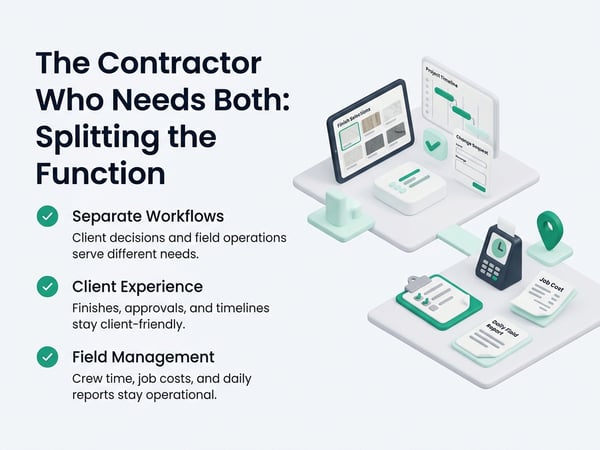
Many design-build contractors and remodelers end up keeping a version of Houzz Pro — or a CRM alternative — for the client-facing and lead generation functions, while switching the operational field management to a purpose-built construction platform. The functions serve different audiences: the client portal serves homeowners, the field management platform serves the crew and the PM.
This split-system approach works because:
- Houzz Pro's homeowner lead generation doesn't overlap with construction field management
- The client experience (selecting finishes, approving changes, reviewing the project timeline) is a different workflow from crew clock-in, job cost tracking, and daily reporting
- Contractors who try to force one platform to do both typically get a client experience that's too construction-process-heavy and a field management system that's too design-focused
If GPS time tracking and labor cost visibility are the primary gap, adding construction time tracking software alongside whatever client management platform is already working costs less and disrupts less than a full platform replacement.
How to Choose: Four Questions
Why are you actually leaving Houzz Pro?
Lead quality dropping: the problem is lead generation, and no construction management platform replaces a lead marketplace. Field crew management missing: TaskTag. Construction financial depth missing: Buildertrend or Procore. Cost too high for what's being used: Contractor Foreman or Jobber depending on work type.
Design-build residential remodel: Buildertrend. Trade or service work: Jobber. Field-first with multiple crews: TaskTag. Commercial GC: Procore. Small operation on a budget: Contractor Foreman.
If crews work across multiple sites, subcontractors bill T&M, or prevailing wage applies — yes. Only TaskTag among these alternatives is built with GPS time tracking as a primary function, not an add-on.
Under 10 workers: TaskTag or Jobber fit without heavy implementation. 10–30 workers: Buildertrend or Contractor Foreman. 30+: Procore or Buildertrend at scale.
Making the Switch: What to Keep and What to Replace
Before cancelling Houzz Pro:
Export everything: client contact list, project files, photos, proposals, and invoices. Houzz Pro's data is yours but requires deliberate export — don't cancel before it's out.
Evaluate the lead generation function separately. If Houzz Pro is generating leads, that function needs a replacement plan before the platform goes away. A contractor who cancels Houzz Pro and loses their primary lead source has a revenue problem, not a platform problem.
Transition active projects before switching operational platforms. Switching platforms mid-project creates continuity gaps — client communication history, change order records, and project documentation all live in the current platform. Start new projects on the new platform; finish active projects where they are.
For the financial and billing continuity during a platform transition, see construction cash flow management and contractor profit and loss statement — billing cycle disruption during a platform switch is a common cash flow risk.
Related Resources
Houzz Pro Alternative Comparison
- Top Houzz Pro Alternatives — full feature scoring and pricing comparison for each alternative
TaskTag Features
- GPS Time Tracking for Construction — GPS-verified crew records, geofencing, and real-time site visibility
- Construction Time Tracking Software — field management platform for contractors switching from design-oriented tools
- Time Tracking for Construction Workers — crew onboarding and daily field time tracking
- Top 5 Time Tracking Apps — GPS time tracking comparison for field crews
- Top 5 BusyBusy Alternatives — construction time tracking alternatives
- TaskTag vs. BusyBusy — GPS time tracking head-to-head
- Time Tracking for Landscapers — landscaping and outdoor contractor time tracking
Related Blog Posts
- Construction Cash Flow Management — cash flow during and after a platform transition
- Contractor Profit and Loss Statement — financial reporting after switching platforms
- Construction WIP Report — WIP tracking in a construction-specific platform
- Construction Retainage — retainage management in construction vs. design platforms
- How to Win Construction Bids — estimating and bid management independent of platform
- How to Negotiate a Construction Contract — contract terms that shape which platform features matter
- Construction Project Closeout — closeout documentation in any project management platform